.github/ISSUE_TEMPLATE/config.yml
blank_issues_enabled: false
imxv/pretty-mermaid-skills · GitHub
Generate and render Mermaid diagrams for architecture docs, READMEs, PRs, terminals, chats, and CI as themed SVG, PNG, or ASCII/Unicode art. Use this skill whenever the user provides Mermaid code or .mmd files; asks for a flowchart, sequence/state/class diagram, ERD, XY chart, or architecture/workflow/data-model visualization; or wants to beautify, theme, batch-convert, or make a diagram terminal-friendly. Runs locally without a browser or DOM, with 15 built-in themes and custom colors.
프로젝트 폴더에서 아래 명령어를 실행하고, 설치할 에이전트를 선택하세요.
npx skills add imxv/pretty-mermaid-skills --skill pretty-mermaid설치 명령을 직접 실행해야 적용됩니다. 지원 에이전트와 필요한 권한·라이선스는 제작자의 안내를 확인하세요.
.github/ISSUE_TEMPLATE/config.ymlblank_issues_enabled: false
.github/ISSUE_TEMPLATE/bug_report.ymlname: Bug report
description: Report a reproducible rendering, CLI, or documentation problem
title: "[Bug]: "
labels:
- bug
body:
- type: markdown
attributes:
value: Thanks for taking the time to report a problem. Do not include security-sensitive details here; follow SECURITY.md instead.
- type: input
id: version
attributes:
label: Pretty Mermaid version or commit
placeholder: v1.0.0 or a commit SHA
validations:
required: true
- type: input
id: node
attributes:
label: Node.js version
placeholder: v20.20.2
validations:
required: true
- type: dropdown
id: output
attributes:
label: Output format
options:
- SVG
- PNG
- Unicode or ASCII
- Multiple formats
- Documentation only
validations:
required: true
- type: textarea
id: source
attributes:
label: Minimal Mermaid source
description: Include Mermaid source when applicable. Remove private or sensitive data.
render: mermaid
- type: textarea
id: command
attributes:
label: Command and options
description: Include the command and options when applicable.
render: shell
- type: textarea
id: expected
attributes:
label: Expected behavior
validations:
required: true
- type: textarea
id: actual
attributes:
label: Actual behavior
description: Include the full error message or a screenshot when useful.
validations:
required: true
- type: checkboxes
id: checks
attributes:
label: Pre-submission checks
options:
- label: I searched existing issues and did not find a duplicate.
required: true
- label: I removed secrets and private data from the example.
required: true
.gitignore# macOS .DS_Store .AppleDouble .LSOverride *.swp .DS_Store? # Python __pycache__/ *.py[cod] *$py.class *.so .Python build/ develop-eggs/ dist/ downloads/ eggs/ .eggs/ lib/ lib64/ parts/ sdist/ var/ wheels/ pip-wheel-metadata/ share/python-wheels/ *.egg-info/ .installed.cfg *.egg MANIFEST # IDEs .vscode/ .idea/ *.swp *.swo *~ .project .pydevproject .settings/ # Test outputs /test-output/ /output/ *.svg *.txt !requirements.txt # Node.js node_modules/ npm-debug.log* yarn-debug.log* yarn-error.log* # Environment files .env .env.local .env.*.local # OS Thumbs.db
.github/ISSUE_TEMPLATE/feature_request.ymlname: Feature request
description: Suggest a diagram, rendering, CLI, theme, or documentation improvement
title: "[Feature]: "
labels:
- enhancement
body:
- type: textarea
id: problem
attributes:
label: Problem
description: What is difficult or impossible today?
validations:
required: true
- type: textarea
id: proposal
attributes:
label: Proposed solution
description: Describe the desired input, output, or workflow.
validations:
required: true
- type: textarea
id: alternatives
attributes:
label: Alternatives considered
description: Mention current workarounds or related tools if applicable.
- type: textarea
id: example
attributes:
label: Example
description: Add Mermaid source, a CLI example, or a mock output when helpful.
- type: checkboxes
id: checks
attributes:
label: Pre-submission checks
options:
- label: I searched existing issues and did not find a duplicate.
required: true
.github/PULL_REQUEST_TEMPLATE.md## Summary <!-- What problem does this change solve? --> ## Changes <!-- List the focused changes in this pull request. --> ## Verification <!-- Include commands run and relevant rendered output. --> - [ ] `npm test` - [ ] `npm run validate` - [ ] `git diff --check` - [ ] Theme gallery regenerated when rendering or themes changed - [ ] Documentation updated when user-facing behavior changed ## Visual output <!-- Attach before/after images for rendering or documentation presentation changes. -->
.github/workflows/release.ymlname: Release
on:
push:
tags:
- 'v*'
permissions:
contents: read
jobs:
verify:
name: Verify release tag
runs-on: ubuntu-latest
steps:
- name: Check out repository
uses: actions/checkout@v7
- name: Set up Node.js
uses: actions/setup-node@v7
with:
node-version: 24
cache: npm
- name: Install dependencies
run: npm ci
- name: Verify tag matches package version
run: test "v$(node -p "require('./package.json').version")" = "$GITHUB_REF_NAME"
- name: Run smoke tests
run: npm test
- name: Validate Skill and documentation
run: npm run validate
- name: Verify theme gallery is current
run: npm run gallery && git diff --exit-code -- assets/theme_gallery
release:
name: Publish GitHub Release
needs: verify
runs-on: ubuntu-latest
permissions:
contents: write
steps:
- name: Create release
env:
GH_TOKEN: ${{ github.token }}
run: >-
gh release create "$GITHUB_REF_NAME"
--repo "$GITHUB_REPOSITORY"
--verify-tag
--generate-notes
--title "Pretty Mermaid $GITHUB_REF_NAME"
CHANGELOG.md# Changelog All notable changes to Pretty Mermaid are documented in this file. The format follows [Keep a Changelog](https://keepachangelog.com/en/1.1.0/), and the project uses [Semantic Versioning](https://semver.org/spec/v2.0.0.html). ## [Unreleased] ### Added - Native Node.js PNG output for single-file and batch rendering, with configurable width and no external converter requirement. ## [1.0.0] - 2026-08-20 ### Added - SVG and ASCII/Unicode rendering for flowcharts, sequence diagrams, state diagrams, class diagrams, ER diagrams, and XY charts. - Fifteen built-in themes, custom colors, transparent SVGs, layout controls, and interactive XY chart tooltips. - Single-file and parallel batch CLIs with automatic first-run dependency installation. - Example diagrams, detailed references, a generated theme gallery, and English, Chinese, and Japanese documentation. - Node.js compatibility CI, contribution guidance, issue forms, and security and conduct policies. ### Fixed - Reject inherited object properties such as `constructor` and `toString` as theme names. - Apply named themes and custom colors consistently to SVG and terminal output. - Replace stale documentation commands with the bundled Node.js CLIs. [Unreleased]: https://github.com/imxv/Pretty-mermaid-skills/compare/v1.0.0...HEAD [1.0.0]: https://github.com/imxv/Pretty-mermaid-skills/releases/tag/v1.0.0
.github/workflows/ci.ymlname: CI
on:
push:
branches:
- main
pull_request:
workflow_dispatch:
permissions:
contents: read
concurrency:
group: ci-${{ github.workflow }}-${{ github.ref }}
cancel-in-progress: true
jobs:
test:
name: Node ${{ matrix.node }}
runs-on: ubuntu-latest
strategy:
fail-fast: false
matrix:
node:
- 16
- 18
- 20
- 22
- 24
steps:
- name: Check out repository
uses: actions/checkout@v7
- name: Set up Node.js
uses: actions/setup-node@v7
with:
node-version: ${{ matrix.node }}
cache: npm
- name: Install dependencies
run: npm ci
- name: Run smoke tests
run: npm test
- name: Validate Skill and documentation
run: npm run validate
gallery:
name: Theme gallery is current
runs-on: ubuntu-latest
steps:
- name: Check out repository
uses: actions/checkout@v7
- name: Set up Node.js
uses: actions/setup-node@v7
with:
node-version: 24
cache: npm
- name: Install dependencies
run: npm ci
- name: Regenerate theme gallery
run: npm run gallery
- name: Verify generated previews are committed
run: git diff --exit-code -- assets/theme_gallery
CODE_OF_CONDUCT.md# Contributor Covenant Code of Conduct ## Our Pledge We as members, contributors, and leaders pledge to make participation in our community a harassment-free experience for everyone, regardless of age, body size, visible or invisible disability, ethnicity, sex characteristics, gender identity and expression, level of experience, education, socio-economic status, nationality, personal appearance, race, caste, color, religion, or sexual identity and orientation. We pledge to act and interact in ways that contribute to an open, welcoming, diverse, inclusive, and healthy community. ## Our Standards Examples of behavior that contributes to a positive environment include: - Demonstrating empathy and kindness toward other people - Being respectful of differing opinions, viewpoints, and experiences - Giving and gracefully accepting constructive feedback - Accepting responsibility and apologizing to those affected by our mistakes, and learning from the experience - Focusing on what is best not just for us as individuals, but for the overall community Examples of unacceptable behavior include: - The use of sexualized language or imagery, and sexual attention or advances of any kind - Trolling, insulting or derogatory comments, and personal or political attacks - Public or private harassment - Publishing others' private information, such as a physical or email address, without their explicit permission - Other conduct which could reasonably be considered inappropriate in a professional setting ## Enforcement Responsibilities Community leaders are responsible for clarifying and enforcing these standards and will take appropriate and fair corrective action in response to behavior they deem inappropriate, threatening, offensive, or harmful. Community leaders may remove, edit, or reject comments, commits, code, wiki edits, issues, and other contributions that are not aligned with this Code of Conduct, and will communicate reasons for moderation decisions when appropriate. ## Scope This Code of Conduct applies within all community spaces and when an individual is officially representing the community in public spaces. ## Enforcement Report abusive, harassing, or otherwise unacceptable behavior privately through the contact options on the [project owner's GitHub profile](https://github.com/imxv). Do not publish sensitive details in a public issue. All complaints will be reviewed and investigated promptly and fairly. Community leaders will respect the privacy and security of the reporter. ## Enforcement Guidelines ### 1. Correction **Community impact:** Use of inappropriate language or other behavior deemed unprofessional or unwelcome. **Consequence:** A private written warning, with an explanation of why the behavior was inappropriate. A public apology may be requested. ### 2. Warning **Community impact:** A violation through a single incident or series of actions. **Consequence:** A warning with consequences for continued behavior and a defined period of no interaction with the people involved. ### 3. Temporary Ban **Community impact:** A serious violation of community standards, including sustained inappropriate behavior. **Consequence:** A temporary ban from community interaction or public communication for a defined period. ### 4. Permanent Ban **Community impact:** A pattern of violations, harassment, aggression, or disparagement of classes of individuals. **Consequence:** A permanent ban from public interaction within the community. ## Attribution This Code of Conduct is adapted from the [Contributor Covenant](https://www.contributor-covenant.org), version 2.1, available at [contributor-covenant.org/version/2/1/code_of_conduct.html](https://www.contributor-covenant.org/version/2/1/code_of_conduct.html). Community Impact Guidelines were inspired by [Mozilla's code of conduct enforcement ladder](https://github.com/mozilla/diversity).
SKILL.md--- name: pretty-mermaid description: | Generate and render Mermaid diagrams for architecture docs, READMEs, PRs, terminals, chats, and CI as themed SVG, PNG, or ASCII/Unicode art. Use this skill whenever the user provides Mermaid code or .mmd files; asks for a flowchart, sequence/state/class diagram, ERD, XY chart, or architecture/workflow/data-model visualization; or wants to beautify, theme, batch-convert, or make a diagram terminal-friendly. Runs locally without a browser or DOM, with 15 built-in themes and custom colors. --- # Pretty Mermaid Create or render Mermaid diagrams with the bundled Node.js CLI. Use SVG for scalable documentation, PNG for sharing or raster-only consumers, and ASCII or Unicode for terminals and plain text. ## Working directory Treat the directory containing this file as `<skill-root>`. Run bundled scripts from that directory, or invoke them with absolute paths. Keep user source and rendered output in the user's requested location; do not copy the renderer into their project. ## Workflow 1. Determine whether the user supplied Mermaid source or needs a diagram authored from prose. 2. Choose the diagram type and output format from the tables below. 3. Read only the relevant reference file when syntax, theme selection, or API behavior needs more detail. 4. Save new source as a `.mmd` file, preserving user terminology and relationships. 5. Render with a named theme or explicit colors. 6. Inspect the result. Fix syntax, clipping, crowded layout, or unclear labels and render again. 7. Return the source and output paths, plus the selected format and theme. Do not overwrite an existing source or output file unless the user asked for replacement. ## Choose a diagram type | Need | Diagram type | Starter | | --- | --- | --- | | Process, decision tree, architecture | Flowchart | `flowchart LR` | | API calls, messages, interactions | Sequence | `sequenceDiagram` | | Lifecycle or finite-state machine | State | `stateDiagram-v2` | | Classes, modules, relationships | Class | `classDiagram` | | Database entities and cardinality | ER | `erDiagram` | | Bars, lines, trends, comparisons | XY chart | `xychart-beta` | Read `references/DIAGRAM_TYPES.md` when authoring non-trivial Mermaid syntax. ## Choose an output | Output | Best for | Notes | | --- | --- | --- | | SVG | READMEs, docs, slides, websites | Scalable, themed, supports transparency | | PNG | Chats, previews, raster-only tools | Set `--format png`; no external converter required | | Unicode | Modern terminals and readable text previews | Default ASCII renderer output | | Plain ASCII | Logs and restricted terminals | Add `--use-ascii` | | ANSI-colored text | Interactive terminals | Set `--color-mode` | ## Core commands Run these from `<skill-root>`. ### List themes ```bash node scripts/themes.mjs ``` ### Render SVG ```bash node scripts/render.mjs \ --input diagram.mmd \ --output diagram.svg \ --theme tokyo-night ``` ### Render terminal text ```bash node scripts/render.mjs \ --input diagram.mmd \ --output diagram.txt \ --format ascii \ --color-mode none ``` Add `--use-ascii` when Unicode box-drawing characters are not acceptable. ### Render PNG ```bash node scripts/render.mjs \ --input diagram.mmd \ --output diagram.png \ --format png \ --width 1200 \ --theme tokyo-night ``` ### Batch render a directory ```bash node scripts/batch.mjs \ --input-dir ./diagrams \ --output-dir ./rendered \ --format svg \ --theme github-dark \ --workers 4 ``` Use batch rendering for three or more diagrams or when consistent options must be applied to a directory. ## Theme selection - General dark documentation: `tokyo-night` - GitHub dark or light surfaces: `github-dark`, `github-light` - Print and presentations: `zinc-light` - High-contrast color: `dracula` - Cool, restrained palette: `nord`, `nord-light` Read `references/THEMES.md` or open `docs/THEME_GALLERY.md` when visual theme choice matters. A named theme can be refined with explicit color flags. ## Useful options ### Shared styling | Option | Purpose | | --- | --- | | `--theme <name>` | Apply one of the 15 built-in themes | | `--bg`, `--fg` | Set required base colors | | `--line`, `--accent`, `--muted` | Refine connectors, highlights, and secondary text | | `--surface`, `--border` | Refine node fill and stroke | | `--font <name>` | Set the SVG font family | ### SVG | Option | Purpose | | --- | --- | | `--transparent` | Remove the SVG background | | `--padding <n>` | Set canvas padding | | `--node-spacing <n>` | Set horizontal node spacing | | `--layer-spacing <n>` | Set vertical layer spacing | | `--component-spacing <n>` | Separate disconnected components | | `--interactive` | Enable XY chart hover tooltips | ### PNG | Option | Purpose | | --- | --- | | `--width <n>` | Set output width from 100 to 10000 pixels while preserving aspect ratio | | `--transparent` | Preserve a transparent background | ### Terminal output | Option | Purpose | | --- | --- | | `--use-ascii` | Replace Unicode box drawing with plain ASCII | | `--padding-x`, `--padding-y` | Tune diagram spacing | | `--box-border-padding` | Tune padding inside node boxes | | `--color-mode <mode>` | `none`, `auto`, `ansi16`, `ansi256`, `truecolor`, or `html` | Run `node scripts/render.mjs --help` or `node scripts/batch.mjs --help` for the authoritative CLI list. ## Authoring guidance - Prefer short, concrete labels; preserve domain-specific terms from the user. - Use explicit edge labels when a branch or message is ambiguous. - Keep large diagrams readable by splitting unrelated concerns instead of shrinking text. - Use `LR` for wide flows and `TB` for narrow documents. - Avoid communicating meaning through color alone. - Use a light theme for print and confirm contrast against the final background. - For unfamiliar syntax, start from `assets/example_diagrams/` and consult the diagram reference. ## Validation After rendering: 1. Confirm the command exits successfully and the output file is non-empty. 2. Confirm SVG output begins with `<svg`; confirm PNG output opens as a valid image; confirm text output contains visible diagram content. 3. Inspect visual output when layout matters, especially long labels, CJK text, disconnected components, and XY charts. 4. Confirm arrows, cardinalities, states, and labels match the source request. 5. Report any renderer limitation instead of silently dropping unsupported syntax. Run both `npm test` and `npm run validate` when changing this skill, its scripts, templates, or references. ## Troubleshooting - Missing dependency: run `npm install` in `<skill-root>`; the CLI also attempts a first-run install. - Unknown theme: run `node scripts/themes.mjs` and use an exact listed name. - Parse error: consult `references/DIAGRAM_TYPES.md`, reduce to the failing statement, then restore the diagram incrementally. - Crowded SVG: increase `--node-spacing`, `--layer-spacing`, or `--component-spacing`. - PNG color error: use concrete hex values for custom colors; unresolved external CSS variables cannot be rasterized. - Terminal color escape codes in redirected output: use `--color-mode none`. ## Reference routing | Resource | Read or use when | | --- | --- | | `references/DIAGRAM_TYPES.md` | Authoring or debugging Mermaid syntax | | `references/THEMES.md` | Comparing themes or defining custom colors | | `references/api_reference.md` | Extending scripts or calling `beautiful-mermaid` directly | | `docs/THEME_GALLERY.md` | Choosing a theme visually | | `assets/example_diagrams/` | Starting from a supported diagram template | | `scripts/render.mjs` | Rendering one diagram | | `scripts/batch.mjs` | Rendering a directory in parallel | | `scripts/themes.mjs` | Listing installed themes |
.github/release.ymlchangelog:
exclude:
labels:
- skip-changelog
categories:
- title: Features
labels:
- enhancement
- feature
- title: Fixes
labels:
- bug
- fix
- title: Documentation
labels:
- documentation
- docs
- title: Maintenance
labels:
- chore
- dependencies
- title: Other Changes
labels:
- '*'
LICENSEMIT License Copyright (c) 2026 Beautiful-Mermaid Contributors Permission is hereby granted, free of charge, to any person obtaining a copy of this software and associated documentation files (the "Software"), to deal in the Software without restriction, including without limitation the rights to use, copy, modify, merge, publish, distribute, sublicense, and/or sell copies of the Software, and to permit persons to whom the Software is furnished to do so, subject to the following conditions: The above copyright notice and this permission notice shall be included in all copies or substantial portions of the Software. THE SOFTWARE IS PROVIDED "AS IS", WITHOUT WARRANTY OF ANY KIND, EXPRESS OR IMPLIED, INCLUDING BUT NOT LIMITED TO THE WARRANTIES OF MERCHANTABILITY, FITNESS FOR A PARTICULAR PURPOSE AND NONINFRINGEMENT. IN NO EVENT SHALL THE AUTHORS OR COPYRIGHT HOLDERS BE LIABLE FOR ANY CLAIM, DAMAGES OR OTHER LIABILITY, WHETHER IN AN ACTION OF CONTRACT, TORT OR OTHERWISE, ARISING FROM, OUT OF OR IN CONNECTION WITH THE SOFTWARE OR THE USE OR OTHER DEALINGS IN THE SOFTWARE.
README.md<div align="center"> # Pretty Mermaid **Beautiful Mermaid diagrams for AI agents** Turn Mermaid source into polished SVGs, shareable PNGs, and terminal-ready ASCII—locally, without a browser.  [](https://www.skills.sh/imxv/pretty-mermaid-skills/pretty-mermaid) [](https://github.com/imxv/Pretty-mermaid-skills/actions/workflows/ci.yml) [](LICENSE) [](https://nodejs.org/) [](https://github.com/imxv/Pretty-mermaid-skills) **English** | [中文](README_CN.md) | [日本語](README_JA.md) </div> ## 🚀 Install ```bash npx skills add imxv/pretty-mermaid-skills@pretty-mermaid -g -y ``` [View the skill, install count, and security audits on skills.sh →](https://www.skills.sh/imxv/pretty-mermaid-skills/pretty-mermaid) ## Why Pretty Mermaid? - **Made for AI agents**: works with Claude Code, Cursor, Codex, Gemini CLI, and more - **One source, three outputs**: polished SVG for docs, PNG for sharing, and ASCII/Unicode for terminals - **No browser required**: renders locally without Chromium, Puppeteer, or a DOM - **Flexible by default**: 15 themes, custom colors, six diagram types, and batch rendering ## ✨ Features - 📊 **Multi-format Support**: SVG, PNG, and ASCII rendering export - 🎨 **Rich Themes**: 15 built-in themes for different scenarios - 📈 **Six Diagram Types**: Flowchart, Sequence, State, Class, ER, and XY charts - ⚡ **High Performance**: Batch parallel rendering - 📚 **Ready to Use**: Complete templates and detailed documentation ### Supported Themes | Light Themes | Dark Themes | Other | | :--- | :--- | :--- | | zinc-light | zinc-dark | nord | | tokyo-night-light | tokyo-night | nord-light | | catppuccin-latte | tokyo-night-storm | dracula | | github-light | catppuccin-mocha | one-dark | | solarized-light | github-dark | | | | solarized-dark | | ## 🎨 Theme Gallery Compare the same flowchart across every built-in theme in the [complete 15-theme gallery](docs/THEME_GALLERY.md). <p align="center"> <img src="assets/theme_gallery/tokyo-night.svg" alt="Tokyo Night theme preview" width="49%"> <img src="assets/theme_gallery/github-light.svg" alt="GitHub Light theme preview" width="49%"> </p> ## 🤖 AI Assistant Integration Seamlessly integrates with the following AI coding environments: - **Claude Code** - **Cursor** - **Gemini CLI** - **Antigravity** - **OpenCode** - **Codex** - **qoder** ## Installation details ### Install from GitHub ```bash npx skills add imxv/pretty-mermaid-skills@pretty-mermaid -g -y ``` ### Verify Installation ```bash npx skills list -g ``` Confirm that `pretty-mermaid` appears in the global skill list. Node.js 16 or newer is required. ## 📖 Quick Start ### List Available Themes ```bash node scripts/themes.mjs ``` ### Render Single Diagram ```bash node scripts/render.mjs \ --input diagram.mmd \ --output output.svg \ --theme tokyo-night ``` ### Render PNG ```bash node scripts/render.mjs \ --input diagram.mmd \ --output output.png \ --format png \ --width 1200 \ --theme tokyo-night ``` ### Batch Render ```bash node scripts/batch.mjs \ --input-dir ./diagrams \ --output-dir ./output \ --theme dracula ``` ## 📂 Examples Check the 6 template files in `assets/example_diagrams/`: - `flowchart.mmd` - Flowchart - `sequence.mmd` - Sequence Diagram - `state.mmd` - State Diagram - `class.mmd` - Class Diagram - `er.mmd` - ER Diagram - `xychart.mmd` - XY Chart (bar and line) PNG output is rendered directly in Node.js with no external converter required. The renderer also supports CJK state names, multiline labels, `linkStyle`, configurable ELK layout spacing, interactive XY chart tooltips, and ANSI-colored terminal output. ## 📚 Documentation - [Skill usage guide](SKILL.md) - [Theme gallery](docs/THEME_GALLERY.md) - [Diagram syntax reference](references/DIAGRAM_TYPES.md) - [Theme and custom color reference](references/THEMES.md) - [beautiful-mermaid API reference](references/api_reference.md) - [Release process](RELEASING.md) ## 🤝 Community Read the [contribution guide](CONTRIBUTING.md), report problems with the issue templates, and review the [security policy](SECURITY.md) before sharing sensitive findings. Release history is tracked in the [changelog](CHANGELOG.md). ## ⚙️ Requirements - Node.js 16+ ## 📄 License MIT License ## Star History [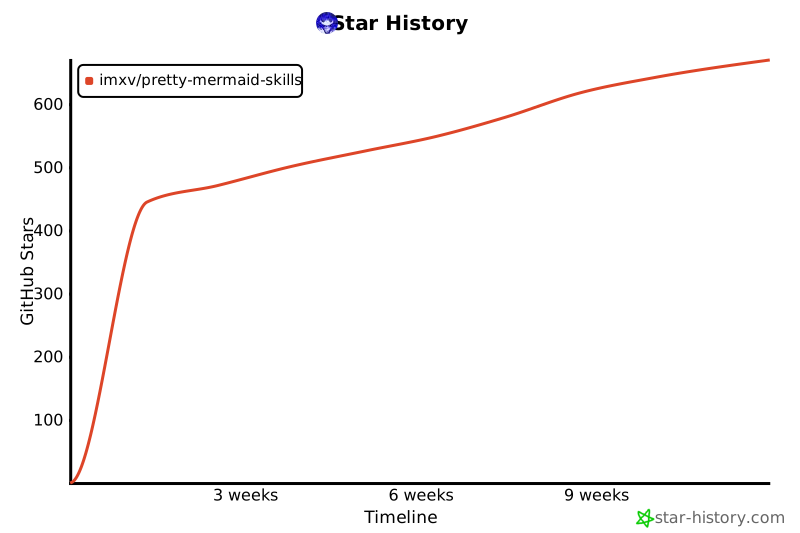](https://www.star-history.com/?repos=imxv%2FPretty-mermaid-skills&type=timeline&legend=bottom-right) ## 🙏 Acknowledgments Based on [beautiful-mermaid](https://github.com/lukilabs/beautiful-mermaid)
CONTRIBUTING.md# Contributing to Pretty Mermaid Thanks for helping improve Pretty Mermaid. Contributions are welcome for renderer behavior, diagram compatibility, documentation, themes, examples, and developer experience. ## Before you start - Search existing issues and pull requests to avoid duplicate work. - Open a feature request before a large behavioral change so the approach can be discussed. - Keep changes focused. Unrelated fixes are easier to review as separate pull requests. ## Local setup Pretty Mermaid requires Node.js 16 or newer. ```bash git clone https://github.com/imxv/Pretty-mermaid-skills.git cd Pretty-mermaid-skills npm ci npm test ``` Render an example while developing: ```bash node scripts/render.mjs \ --input assets/example_diagrams/flowchart.mmd \ --output /tmp/pretty-mermaid-preview.svg \ --theme tokyo-night ``` ## Making changes 1. Create a branch with a descriptive name. 2. Add or update a smoke-test case when behavior changes. 3. Update the relevant README, Skill instructions, or reference document. 4. Run `npm run gallery` when themes or SVG rendering affect the committed previews. 5. Run the checks below before opening a pull request. ```bash npm test npm run validate npm run gallery git diff --check git diff --exit-code -- assets/theme_gallery ``` `git diff --exit-code -- assets/theme_gallery` should produce no output. If it reports changes, commit the regenerated previews. ## Pull requests A useful pull request includes: - a concise problem statement; - the behavior before and after the change; - tests or reproduction steps; - rendered examples for visual changes; - documentation updates when commands or supported syntax change. By participating, you agree to follow the [Code of Conduct](CODE_OF_CONDUCT.md).
assets/example_diagrams/er.mmderDiagram
USER ||--o{ ORDER : places
USER {
string id PK
string name
string email
date created_at
}
ORDER ||--|{ ORDER_ITEM : contains
ORDER {
string id PK
string user_id FK
decimal total
date created_at
}
ORDER_ITEM }o--|| PRODUCT : references
ORDER_ITEM {
string id PK
string order_id FK
string product_id FK
int quantity
decimal price
}
PRODUCT {
string id PK
string name
decimal price
int stock
}
SECURITY.md# Security Policy ## Supported versions The latest release receives security fixes. Older versions may be asked to upgrade before a fix is investigated. | Version | Supported | | --- | --- | | 1.x | Yes | | < 1.0 | No | ## Reporting a vulnerability Please do not disclose vulnerabilities or exploit details in a public issue. Use GitHub's [private vulnerability reporting form](https://github.com/imxv/Pretty-mermaid-skills/security/advisories/new). Do not use a public issue for security reports. Include the affected version, impact, reproduction steps, and any suggested mitigation only after a private channel has been established. You can expect an initial acknowledgement within seven days.
RELEASING.md# Releasing Pretty Mermaid This process is for maintainers publishing a version from the default branch. Do not create a release from a feature branch. ## 1. Prepare the version 1. Confirm `package.json` contains the intended semantic version. 2. Move completed entries from `Unreleased` into a dated section in `CHANGELOG.md`. 3. Confirm the release notes describe user-visible behavior, compatibility, and important fixes. 4. Merge the release changes into `main` and wait for CI to pass. ## 2. Verify from `main` ```bash git switch main git pull --ff-only origin main npm ci npm test npm run validate npm run gallery git diff --exit-code -- assets/theme_gallery ``` The working tree should remain clean after verification. ## 3. Tag and publish For the first release: ```bash git tag -a v1.0.0 -m "Pretty Mermaid v1.0.0" git push origin v1.0.0 ``` Pushing a `v*` tag starts the Release workflow. It reruns tests and documentation validation, then creates a GitHub Release with generated notes categorized by `.github/release.yml`. If the workflow fails, fix the underlying problem on `main`, create a new version tag, and publish that tag. Do not move a public release tag after users may have fetched it.
README_CN.md<div align="center"> # Pretty Mermaid **为 AI Agent 打造的精美 Mermaid 图表** 将 Mermaid 源码转换为精美 SVG、便于分享的 PNG 与终端友好的 ASCII——本地运行,无需浏览器。  [](https://www.skills.sh/imxv/pretty-mermaid-skills/pretty-mermaid) [](https://github.com/imxv/Pretty-mermaid-skills/actions/workflows/ci.yml) [](LICENSE) [](https://nodejs.org/) [](https://github.com/imxv/Pretty-mermaid-skills) **中文** | [English](README.md) | [日本語](README_JA.md) </div> ## 🚀 安装 ```bash npx skills add imxv/pretty-mermaid-skills@pretty-mermaid -g -y ``` [前往 skills.sh 查看安装量与安全扫描结果 →](https://www.skills.sh/imxv/pretty-mermaid-skills/pretty-mermaid) ## 为什么选择 Pretty Mermaid? - **专为 AI Agent 设计**:支持 Claude Code、Cursor、Codex、Gemini CLI 等环境 - **一份源码,三种输出**:文档用精美 SVG,分享用 PNG,终端用 ASCII/Unicode - **无需浏览器**:本地渲染,不依赖 Chromium、Puppeteer 或 DOM - **灵活开箱即用**:15 种主题、自定义配色、六种图表类型和批量渲染 ## ✨ 功能特性 - 📊 **多格式支持**:支持 SVG、PNG 和 ASCII 渲染导出 - 🎨 **丰富主题**:内置 15 种精美主题,满足不同场景需求 - 📈 **六种图表类型**:支持 Flowchart、Sequence、State、Class、ER 和 XY Chart - ⚡ **高效渲染**:支持批量并行渲染,速度飞快 - 📚 **开箱即用**:提供完整的模板和详细文档 ### 支持主题列表 | Light Themes | Dark Themes | Other | | :--- | :--- | :--- | | zinc-light | zinc-dark | nord | | tokyo-night-light | tokyo-night | nord-light | | catppuccin-latte | tokyo-night-storm | dracula | | github-light | catppuccin-mocha | one-dark | | solarized-light | github-dark | | | | solarized-dark | | ## 🎨 主题效果图库 在[完整的 15 主题效果图库](docs/THEME_GALLERY.md)中,对比同一张流程图在所有内置主题下的效果。 <p align="center"> <img src="assets/theme_gallery/tokyo-night.svg" alt="Tokyo Night 主题预览" width="49%"> <img src="assets/theme_gallery/github-light.svg" alt="GitHub Light 主题预览" width="49%"> </p> ## 🤖 AI 助手集成 支持与以下 AI 编程环境无缝集成,通过自然语言即可调用绘图能力: - **Claude Code** - **Cursor** - **Gemini CLI** - **Antigravity** - **OpenCode** - **Codex** - **qoder** ## 安装说明 ### 从 GitHub 安装 ```bash npx skills add imxv/pretty-mermaid-skills@pretty-mermaid -g -y ``` ### 验证安装 ```bash npx skills list -g ``` 确认全局 Skill 列表中包含 `pretty-mermaid`。需要 Node.js 16 或更高版本。 ## 📖 快速开始 ### 列出可用主题 ```bash node scripts/themes.mjs ``` ### 渲染单个图表 ```bash node scripts/render.mjs \ --input diagram.mmd \ --output output.svg \ --theme tokyo-night ``` ### 渲染 PNG ```bash node scripts/render.mjs \ --input diagram.mmd \ --output output.png \ --format png \ --width 1200 \ --theme tokyo-night ``` ### 批量渲染 ```bash node scripts/batch.mjs \ --input-dir ./diagrams \ --output-dir ./output \ --theme dracula ``` ## 📂 使用示例 查看 `assets/example_diagrams/` 目录下的 6 个模板文件,快速上手: - `flowchart.mmd` - 流程图 - `sequence.mmd` - 时序图 - `state.mmd` - 状态图 - `class.mmd` - 类图 - `er.mmd` - ER 图 - `xychart.mmd` - XY 图(柱状图与折线图) PNG 由 Node.js 直接生成,无需安装外部转换工具。渲染器同时支持中日韩状态名称、多行标签、`linkStyle`、可配置的 ELK 布局间距、XY 图交互提示,以及带 ANSI 颜色的终端输出。 ## 📚 完整文档 - [Skill 使用指南](SKILL.md) - [主题效果图库](docs/THEME_GALLERY.md) - [图表语法参考](references/DIAGRAM_TYPES.md) - [主题与自定义配色参考](references/THEMES.md) - [beautiful-mermaid API 参考](references/api_reference.md) - [版本发布流程](RELEASING.md) ## 🤝 社区 参与项目前请阅读[贡献指南](CONTRIBUTING.md);提交敏感问题前请先查看[安全策略](SECURITY.md)。版本记录见[更新日志](CHANGELOG.md)。 ## ⚙️ 系统要求 - Node.js 16+ ## 📄 许可证 MIT License ## Star History [](https://www.star-history.com/#imxv/Pretty-mermaid-skills&type=timeline&legend=top-left) ## 🙏 致谢 基于 [beautiful-mermaid](https://github.com/lukilabs/beautiful-mermaid) 项目
assets/example_diagrams/state.mmdstateDiagram-v2
[*] --> Idle
Idle --> Loading: Start Request
Loading --> Success: Data Received
Loading --> Error: Request Failed
Success --> Idle: Reset
Error --> Idle: Retry
Error --> [*]: Abort
assets/example_diagrams/xychart.mmdxychart-beta
title "Monthly Revenue"
x-axis [Jan, Feb, Mar, Apr, May, Jun]
y-axis "Revenue" 0 --> 7000
bar [3200, 4100, 3800, 5200, 4900, 6100]
line [3000, 3700, 4200, 4600, 5300, 5900]
assets/example_diagrams/flowchart.mmdflowchart LR
Start([Start]) --> Input[/Input Data/]
Input --> Process[Process Data]
Process --> Decision{Valid?}
Decision -->|Yes| Success[Success]
Decision -->|No| Error[Error Handler]
Error --> Input
Success --> End([End])
package.json{
"name": "pretty-mermaid-skill",
"version": "1.0.0",
"private": true,
"type": "module",
"bin": {
"render-mermaid": "./scripts/render.mjs",
"batch-mermaid": "./scripts/batch.mjs",
"list-mermaid-themes": "./scripts/themes.mjs"
},
"engines": {
"node": ">=16"
},
"scripts": {
"gallery": "node scripts/generate-theme-gallery.mjs",
"test": "node scripts/smoke-test.mjs",
"validate": "node scripts/validate-docs.mjs"
},
"dependencies": {
"@resvg/resvg-js": "^2.6.2",
"beautiful-mermaid": "^1.1.3"
}
}
assets/example_diagrams/sequence.mmdsequenceDiagram
participant User
participant Client
participant Server
participant Database
User->>Client: Request Data
Client->>Server: API Call
Server->>Database: Query
Database-->>Server: Result
Server-->>Client: Response
Client-->>User: Display Data
README_JA.md<div align="center"> # Pretty Mermaid **AI エージェントのための美しい Mermaid ダイアグラム** Mermaid ソースを洗練された SVG、共有しやすい PNG、ターミナル向け ASCII に変換します。ローカルで動作し、ブラウザーは不要です。  [](https://www.skills.sh/imxv/pretty-mermaid-skills/pretty-mermaid) [](https://github.com/imxv/Pretty-mermaid-skills/actions/workflows/ci.yml) [](LICENSE) [](https://nodejs.org/) [](https://github.com/imxv/Pretty-mermaid-skills) **日本語** | [English](README.md) | [中文](README_CN.md) </div> ## 🚀 インストール ```bash npx skills add imxv/pretty-mermaid-skills@pretty-mermaid -g -y ``` [skills.sh でインストール数とセキュリティ監査を確認 →](https://www.skills.sh/imxv/pretty-mermaid-skills/pretty-mermaid) ## Pretty Mermaid を選ぶ理由 - **AI エージェント向け**:Claude Code、Cursor、Codex、Gemini CLI などに対応 - **1 つのソースから 3 形式**:ドキュメント向け SVG、共有向け PNG、ターミナル向け ASCII/Unicode - **ブラウザー不要**:Chromium、Puppeteer、DOM に依存せずローカルでレンダリング - **柔軟な設定**:15 テーマ、カスタムカラー、6 種類のダイアグラム、バッチ処理 ## ✨ 主な機能 - 📊 **複数形式**:SVG、PNG、ASCII/Unicode を出力 - 🎨 **豊富なテーマ**:用途に合わせた 15 の組み込みテーマ - 📈 **6 種類のダイアグラム**:Flowchart、Sequence、State、Class、ER、XY Chart - ⚡ **高速処理**:複数ファイルを並列でバッチレンダリング - 📚 **すぐに使える**:テンプレートと詳細なリファレンスを同梱 ### 対応テーマ | Light Themes | Dark Themes | Other | | :--- | :--- | :--- | | zinc-light | zinc-dark | nord | | tokyo-night-light | tokyo-night | nord-light | | catppuccin-latte | tokyo-night-storm | dracula | | github-light | catppuccin-mocha | one-dark | | solarized-light | github-dark | | | | solarized-dark | | ## 🎨 テーマギャラリー [15 テーマの完全なギャラリー](docs/THEME_GALLERY.md)で、同じフローチャートの見た目を比較できます。 <p align="center"> <img src="assets/theme_gallery/tokyo-night.svg" alt="Tokyo Night テーマのプレビュー" width="49%"> <img src="assets/theme_gallery/github-light.svg" alt="GitHub Light テーマのプレビュー" width="49%"> </p> ## 🤖 AI アシスタント連携 次の AI コーディング環境から自然言語で利用できます。 - **Claude Code** - **Cursor** - **Gemini CLI** - **Antigravity** - **OpenCode** - **Codex** - **qoder** ## インストールの確認 ```bash npx skills list -g ``` グローバル Skill 一覧に `pretty-mermaid` が表示されることを確認してください。Node.js 16 以上が必要です。 ## 📖 クイックスタート ### テーマ一覧 ```bash node scripts/themes.mjs ``` ### 1 つのダイアグラムをレンダリング ```bash node scripts/render.mjs \ --input diagram.mmd \ --output output.svg \ --theme tokyo-night ``` ### PNG をレンダリング ```bash node scripts/render.mjs \ --input diagram.mmd \ --output output.png \ --format png \ --width 1200 \ --theme tokyo-night ``` ### ディレクトリをバッチレンダリング ```bash node scripts/batch.mjs \ --input-dir ./diagrams \ --output-dir ./output \ --theme dracula ``` ## 📂 サンプル `assets/example_diagrams/` に 6 種類のテンプレートがあります。 - `flowchart.mmd` - フローチャート - `sequence.mmd` - シーケンス図 - `state.mmd` - 状態遷移図 - `class.mmd` - クラス図 - `er.mmd` - ER 図 - `xychart.mmd` - XY チャート(棒グラフと折れ線グラフ) PNG は外部コンバーターを使わず Node.js 内で直接生成します。CJK の状態名、複数行ラベル、`linkStyle`、ELK レイアウト間隔、XY チャートのツールチップ、ANSI カラーのターミナル出力にも対応します。 ## 📚 ドキュメント - [Skill 利用ガイド](SKILL.md) - [テーマギャラリー](docs/THEME_GALLERY.md) - [ダイアグラム構文リファレンス](references/DIAGRAM_TYPES.md) - [テーマとカスタムカラー](references/THEMES.md) - [beautiful-mermaid API リファレンス](references/api_reference.md) - [リリース手順](RELEASING.md) ## 🤝 コミュニティ 参加する前に[コントリビューションガイド](CONTRIBUTING.md)を確認してください。機密性のある問題を共有する前に[セキュリティポリシー](SECURITY.md)をお読みください。リリース履歴は[変更履歴](CHANGELOG.md)にあります。 ## ⚙️ 動作要件 - Node.js 16 以上 ## 📄 ライセンス MIT License ## Star History [](https://www.star-history.com/?repos=imxv%2FPretty-mermaid-skills&type=timeline&legend=bottom-right) ## 🙏 謝辞 [beautiful-mermaid](https://github.com/lukilabs/beautiful-mermaid) を利用しています。
docs/THEME_GALLERY.md# Pretty Mermaid Theme Gallery Use this gallery to compare every built-in theme against the same flowchart. Light themes work well for print and white documentation surfaces; dark themes work well for developer tools, dark READMEs, and presentations. The shared Mermaid source is available in `assets/theme_gallery/source.mmd`. Regenerate all previews after a theme or renderer change: ```bash npm run gallery ``` ## Light themes | `zinc-light` | `tokyo-night-light` | | --- | --- | |  |  | | `catppuccin-latte` | `nord-light` | | --- | --- | |  |  | | `github-light` | `solarized-light` | | --- | --- | |  |  | ## Dark themes | `zinc-dark` | `tokyo-night` | | --- | --- | |  |  | | `tokyo-night-storm` | `catppuccin-mocha` | | --- | --- | |  |  | | `nord` | `dracula` | | --- | --- | |  |  | | `github-dark` | `solarized-dark` | | --- | --- | |  |  | | `one-dark` | | | --- | --- | |  | | ## Custom colors Use a built-in theme as a starting point or supply explicit colors: ```bash node scripts/render.mjs \ --input diagram.mmd \ --output custom.svg \ --bg '#0f172a' \ --fg '#e2e8f0' \ --accent '#38bdf8' \ --line '#818cf8' ``` See the [theme reference](../references/THEMES.md) for every color role and selection guidance.
package-lock.json{
"name": "pretty-mermaid-skill",
"version": "1.0.0",
"lockfileVersion": 3,
"requires": true,
"packages": {
"": {
"name": "pretty-mermaid-skill",
"version": "1.0.0",
"dependencies": {
"@resvg/resvg-js": "^2.6.2",
"beautiful-mermaid": "^1.1.3"
},
"bin": {
"batch-mermaid": "scripts/batch.mjs",
"list-mermaid-themes": "scripts/themes.mjs",
"render-mermaid": "scripts/render.mjs"
},
"engines": {
"node": ">=16"
}
},
"node_modules/@resvg/resvg-js": {
"version": "2.6.2",
"resolved": "https://registry.npmjs.org/@resvg/resvg-js/-/resvg-js-2.6.2.tgz",
"integrity": "sha512-xBaJish5OeGmniDj9cW5PRa/PtmuVU3ziqrbr5xJj901ZDN4TosrVaNZpEiLZAxdfnhAe7uQ7QFWfjPe9d9K2Q==",
"license": "MPL-2.0",
"engines": {
"node": ">= 10"
},
"optionalDependencies": {
"@resvg/resvg-js-android-arm-eabi": "2.6.2",
"@resvg/resvg-js-android-arm64": "2.6.2",
"@resvg/resvg-js-darwin-arm64": "2.6.2",
"@resvg/resvg-js-darwin-x64": "2.6.2",
"@resvg/resvg-js-linux-arm-gnueabihf": "2.6.2",
"@resvg/resvg-js-linux-arm64-gnu": "2.6.2",
"@resvg/resvg-js-linux-arm64-musl": "2.6.2",
"@resvg/resvg-js-linux-x64-gnu": "2.6.2",
"@resvg/resvg-js-linux-x64-musl": "2.6.2",
"@resvg/resvg-js-win32-arm64-msvc": "2.6.2",
"@resvg/resvg-js-win32-ia32-msvc": "2.6.2",
"@resvg/resvg-js-win32-x64-msvc": "2.6.2"
}
},
"node_modules/@resvg/resvg-js-android-arm-eabi": {
"version": "2.6.2",
"resolved": "https://registry.npmjs.org/@resvg/resvg-js-android-arm-eabi/-/resvg-js-android-arm-eabi-2.6.2.tgz",
"integrity": "sha512-FrJibrAk6v29eabIPgcTUMPXiEz8ssrAk7TXxsiZzww9UTQ1Z5KAbFJs+Z0Ez+VZTYgnE5IQJqBcoSiMebtPHA==",
"cpu": [
"arm"
],
"license": "MPL-2.0",
"optional": true,
"os": [
"android"
],
"engines": {
"node": ">= 10"
}
},
"node_modules/@resvg/resvg-js-android-arm64": {
"version": "2.6.2",
"resolved": "https://registry.npmjs.org/@resvg/resvg-js-android-arm64/-/resvg-js-android-arm64-2.6.2.tgz",
"integrity": "sha512-VcOKezEhm2VqzXpcIJoITuvUS/fcjIw5NA/w3tjzWyzmvoCdd+QXIqy3FBGulWdClvp4g+IfUemigrkLThSjAQ==",
"cpu": [
"arm64"
],
"license": "MPL-2.0",
"optional": true,
"os": [
"android"
],
"engines": {
"node": ">= 10"
}
},
"node_modules/@resvg/resvg-js-darwin-arm64": {
"version": "2.6.2",
"resolved": "https://registry.npmjs.org/@resvg/resvg-js-darwin-arm64/-/resvg-js-darwin-arm64-2.6.2.tgz",
"integrity": "sha512-nmok2LnAd6nLUKI16aEB9ydMC6Lidiiq2m1nEBDR1LaaP7FGs4AJ90qDraxX+CWlVuRlvNjyYJTNv8qFjtL9+A==",
"cpu": [
"arm64"
],
"license": "MPL-2.0",
"optional": true,
"os": [
"darwin"
],
"engines": {
"node": ">= 10"
}
},
"node_modules/@resvg/resvg-js-darwin-x64": {
"version": "2.6.2",
"resolved": "https://registry.npmjs.org/@resvg/resvg-js-darwin-x64/-/resvg-js-darwin-x64-2.6.2.tgz",
"integrity": "sha512-GInyZLjgWDfsVT6+SHxQVRwNzV0AuA1uqGsOAW+0th56J7Nh6bHHKXHBWzUrihxMetcFDmQMAX1tZ1fZDYSRsw==",
"cpu": [
"x64"
],
"license": "MPL-2.0",
"optional": true,
"os": [
"darwin"
],
"engines": {
"node": ">= 10"
}
},
"node_modules/@resvg/resvg-js-linux-arm-gnueabihf": {
"version": "2.6.2",
"resolved": "https://registry.npmjs.org/@resvg/resvg-js-linux-arm-gnueabihf/-/resvg-js-linux-arm-gnueabihf-2.6.2.tgz",
"integrity": "sha512-YIV3u/R9zJbpqTTNwTZM5/ocWetDKGsro0SWp70eGEM9eV2MerWyBRZnQIgzU3YBnSBQ1RcxRZvY/UxwESfZIw==",
"cpu": [
"arm"
],
"license": "MPL-2.0",
"optional": true,
"os": [
"linux"
],
"engines": {
"node": ">= 10"
}
},
"node_modules/@resvg/resvg-js-linux-arm64-gnu": {
"version": "2.6.2",
"resolved": "https://registry.npmjs.org/@resvg/resvg-js-linux-arm64-gnu/-/resvg-js-linux-arm64-gnu-2.6.2.tgz",
"integrity": "sha512-zc2BlJSim7YR4FZDQ8OUoJg5holYzdiYMeobb9pJuGDidGL9KZUv7SbiD4E8oZogtYY42UZEap7dqkkYuA91pg==",
"cpu": [
"arm64"
],
"license": "MPL-2.0",
"optional": true,
"os": [
"linux"
],
"engines": {
"node": ">= 10"
}
},
"node_modules/@resvg/resvg-js-linux-arm64-musl": {
"version": "2.6.2",
"resolved": "https://registry.npmjs.org/@resvg/resvg-js-linux-arm64-musl/-/resvg-js-linux-arm64-musl-2.6.2.tgz",
"integrity": "sha512-3h3dLPWNgSsD4lQBJPb4f+kvdOSJHa5PjTYVsWHxLUzH4IFTJUAnmuWpw4KqyQ3NA5QCyhw4TWgxk3jRkQxEKg==",
"cpu": [
"arm64"
],
"license": "MPL-2.0",
"optional": true,
"os": [
"linux"
],
"engines": {
"node": ">= 10"
}
},
"node_modules/@resvg/resvg-js-linux-x64-gnu": {
"version": "2.6.2",
"resolved": "https://registry.npmjs.org/@resvg/resvg-js-linux-x64-gnu/-/resvg-js-linux-x64-gnu-2.6.2.tgz",
"integrity": "sha512-IVUe+ckIerA7xMZ50duAZzwf1U7khQe2E0QpUxu5MBJNao5RqC0zwV/Zm965vw6D3gGFUl7j4m+oJjubBVoftw==",
"cpu": [
"x64"
],
"license": "MPL-2.0",
"optional": true,
"os": [
"linux"
],
"engines": {
"node": ">= 10"
}
},
"node_modules/@resvg/resvg-js-linux-x64-musl": {
"version": "2.6.2",
"resolved": "https://registry.npmjs.org/@resvg/resvg-js-linux-x64-musl/-/resvg-js-linux-x64-musl-2.6.2.tgz",
"integrity": "sha512-UOf83vqTzoYQO9SZ0fPl2ZIFtNIz/Rr/y+7X8XRX1ZnBYsQ/tTb+cj9TE+KHOdmlTFBxhYzVkP2lRByCzqi4jQ==",
"cpu": [
"x64"
],
"license": "MPL-2.0",
"optional": true,
"os": [
"linux"
],
"engines": {
"node": ">= 10"
}
},
"node_modules/@resvg/resvg-js-win32-arm64-msvc": {
"version": "2.6.2",
"resolved": "https://registry.npmjs.org/@resvg/resvg-js-win32-arm64-msvc/-/resvg-js-win32-arm64-msvc-2.6.2.tgz",
"integrity": "sha512-7C/RSgCa+7vqZ7qAbItfiaAWhyRSoD4l4BQAbVDqRRsRgY+S+hgS3in0Rxr7IorKUpGE69X48q6/nOAuTJQxeQ==",
"cpu": [
"arm64"
],
"license": "MPL-2.0",
"optional": true,
"os": [
"win32"
],
"engines": {
"node": ">= 10"
}
},
"node_modules/@resvg/resvg-js-win32-ia32-msvc": {
"version": "2.6.2",
"resolved": "https://registry.npmjs.org/@resvg/resvg-js-win32-ia32-msvc/-/resvg-js-win32-ia32-msvc-2.6.2.tgz",
"integrity": "sha512-har4aPAlvjnLcil40AC77YDIk6loMawuJwFINEM7n0pZviwMkMvjb2W5ZirsNOZY4aDbo5tLx0wNMREp5Brk+w==",
"cpu": [
"ia32"
],
"license": "MPL-2.0",
"optional": true,
"os": [
"win32"
],
"engines": {
"node": ">= 10"
}
},
"node_modules/@resvg/resvg-js-win32-x64-msvc": {
"version": "2.6.2",
"resolved": "https://registry.npmjs.org/@resvg/resvg-js-win32-x64-msvc/-/resvg-js-win32-x64-msvc-2.6.2.tgz",
"integrity": "sha512-ZXtYhtUr5SSaBrUDq7DiyjOFJqBVL/dOBN7N/qmi/pO0IgiWW/f/ue3nbvu9joWE5aAKDoIzy/CxsY0suwGosQ==",
"cpu": [
"x64"
],
"license": "MPL-2.0",
"optional": true,
"os": [
"win32"
],
"engines": {
"node": ">= 10"
}
},
"node_modules/beautiful-mermaid": {
"version": "1.1.3",
"resolved": "https://registry.npmjs.org/beautiful-mermaid/-/beautiful-mermaid-1.1.3.tgz",
"integrity": "sha512-TItrtrAyHp1vwFfFVYauWGrquouk/6SS21Aq3RsxindSYZODcN4xYrPZD6BiZRU+o5mKJzDPz9MUSMvELdylyg==",
"license": "MIT",
"dependencies": {
"elkjs": "^0.11.0",
"entities": "^7.0.1"
}
},
"node_modules/elkjs": {
"version": "0.11.1",
"resolved": "https://registry.npmjs.org/elkjs/-/elkjs-0.11.1.tgz",
"integrity": "sha512-zxxR9k+rx5ktMwT/FwyLdPCrq7xN6e4VGGHH8hA01vVYKjTFik7nHOxBnAYtrgYUB1RpAiLvA1/U2YraWxyKKg==",
"license": "EPL-2.0"
},
"node_modules/entities": {
"version": "7.0.1",
"resolved": "https://registry.npmjs.org/entities/-/entities-7.0.1.tgz",
"integrity": "sha512-TWrgLOFUQTH994YUyl1yT4uyavY5nNB5muff+RtWaqNVCAK408b5ZnnbNAUEWLTCpum9w6arT70i1XdQ4UeOPA==",
"license": "BSD-2-Clause",
"engines": {
"node": ">=0.12"
},
"funding": {
"url": "https://github.com/fb55/entities?sponsor=1"
}
}
}
}
assets/theme_gallery/source.mmdflowchart LR
Idea([Idea]) --> Write[Write Mermaid]
Write --> Output{Choose Output}
Output -->|Docs| SVG[Themed SVG]
Output -->|Terminal| ASCII[ASCII / Unicode]
references/api_reference.md# beautiful-mermaid 1.1 API Reference
Use this reference when extending the bundled CLI scripts or calling `beautiful-mermaid` directly. The Skill currently targets `beautiful-mermaid@^1.1.3`.
## Rendering API
```js
import {
renderMermaidSVG,
renderMermaidSVGAsync,
renderMermaidASCII,
THEMES,
} from 'beautiful-mermaid';
```
- `renderMermaidSVG(text, options?)` returns an SVG string synchronously.
- `renderMermaidSVGAsync(text, options?)` returns the same SVG as a promise.
- `renderMermaidASCII(text, options?)` returns Unicode or plain ASCII terminal output.
- `THEMES` contains the 15 built-in color themes.
- `parseMermaid(text)` parses source into a graph for custom processing.
- `fromShikiTheme(theme)` converts a Shiki theme to diagram colors.
Legacy aliases `renderMermaid` and `renderMermaidAscii` still exist in 1.1.3, but new code should use the canonical names above.
## SVG Options
| Option | Default | Purpose |
| --- | --- | --- |
| `bg`, `fg` | zinc light colors | Base background and foreground colors |
| `line`, `accent`, `muted`, `surface`, `border` | derived | Optional enriched theme colors |
| `font` | `Inter` | Font family |
| `transparent` | `false` | Transparent SVG background |
| `padding` | `40` | Canvas padding in pixels |
| `nodeSpacing` | `24` | Horizontal spacing between sibling nodes |
| `layerSpacing` | `40` | Vertical spacing between layers |
| `componentSpacing` | `24` | Spacing between disconnected components |
| `interactive` | `false` | Hover tooltips for XY chart bars and points |
## ASCII Options
| Option | Default | Purpose |
| --- | --- | --- |
| `useAscii` | `false` | Use plain ASCII instead of Unicode box drawing |
| `paddingX` | `5` | Horizontal node spacing |
| `paddingY` | `5` | Vertical node spacing |
| `boxBorderPadding` | `1` | Inner box padding |
| `colorMode` | `auto` | `none`, `auto`, `ansi16`, `ansi256`, `truecolor`, or `html` |
| `theme` | none | Partial ASCII role-color overrides |
## Supported Inputs
The renderer auto-detects flowcharts, sequence diagrams, state diagrams, class diagrams, ER diagrams, and `xychart-beta`. Version 1.1 also supports `linkStyle`, CJK state names, multiline labels, disconnected components, and per-subgraph direction overrides.
For exact upstream behavior, consult the [beautiful-mermaid README](https://github.com/lukilabs/beautiful-mermaid#readme) and [v1.x releases](https://github.com/lukilabs/beautiful-mermaid/releases).
references/THEMES.md# Beautiful-Mermaid 主题参考
Beautiful-Mermaid 提供 15 个精心设计的内置主题,涵盖亮色和暗色方案。每个主题都基于两种核心颜色(背景 `bg` 和前景 `fg`),并可通过可选的丰富色彩进行增强。
## 目录
- [快速选择指南](#快速选择指南)
- [主题详细说明](#主题详细说明)
- [自定义主题](#自定义主题)
- [主题选择决策树](#主题选择决策树)
- [实用示例](#实用示例)
- [颜色值速查表](#颜色值速查表)
- [常见问题](#常见问题)
## 快速选择指南
### 亮色主题
| 主题 | 背景 | 前景 | 用途 |
|------|------|------|------|
| `zinc-light` | #FFFFFF | 自动推导 | 通用亮色主题 |
| `tokyo-night-light` | #d5d6db | #34548a | 柔和亮色 |
| `catppuccin-latte` | #eff1f5 | #8839ef | 清爽亮色 |
| `nord-light` | #eceff4 | #5e81ac | 冰蓝亮色 |
| `github-light` | #ffffff | #0969da | GitHub 亮色风格 |
| `solarized-light` | #fdf6e3 | #268bd2 | Solarized 亮色 |
### 暗色主题
| 主题 | 背景 | 前景 | 用途 |
|------|------|------|------|
| `zinc-dark` | #18181B | 自动推导 | 通用暗色主题 |
| `tokyo-night` | #1a1b26 | #a9b1d6 | 现代日本风格 |
| `tokyo-night-storm` | #24283b | #a9b1d6 | Tokyo Night 变体 |
| `catppuccin-mocha` | #1e1e2e | #cba6f7 | 温暖暗色 |
| `nord` | #2e3440 | 自动推导 | 北欧冰蓝风格 |
| `dracula` | #282a36 | #f8f8f2 | 经典暗色主题 |
| `github-dark` | #0d1117 | #4493f8 | GitHub 暗色风格 |
| `solarized-dark` | #002b36 | #268bd2 | Solarized 暗色 |
| `one-dark` | #282c34 | 自动推导 | Atom One Dark 风格 |
---
## 主题详细说明
### `zinc-light` (亮色)
**特性:** 清洁、通用的浅色主题,适合打印和高对比度场景。
**配置:**
```javascript
{
bg: '#FFFFFF',
fg: '#27272A'
}
```
**最佳用途:**
- 正式文档和报告
- 打印输出
- 演示幻灯片
**示例:**
```mermaid
graph TD
A[Start] --> B{Decision}
B -->|Yes| C[Action]
B -->|No| D[End]
```
---
### `zinc-dark` (暗色)
**特性:** 纯暗色主题,前景色由系统推导。极简主义风格。
**配置:**
```javascript
{
bg: '#18181B',
fg: '自动推导'
}
```
**最佳用途:**
- 终端应用
- 暗色 UI 集成
- 代码编辑器
---
### `tokyo-night` (暗色) ⭐ 推荐
**特性:** 现代日本风格,柔和的蓝色调,专为开发者设计。
**配置:**
```javascript
{
bg: '#1a1b26',
fg: '#a9b1d6',
accent: '#7aa2f7'
}
```
**最佳用途:**
- 现代开发文档
- AI 辅助编程
- 代码示例和教程
**视觉特性:**
- 深蓝色背景(#1a1b26)
- 柔和紫色文字(#a9b1d6)
- 亮蓝色强调(#7aa2f7)
---
### `tokyo-night-storm` (暗色)
**特性:** Tokyo Night 的深色变体,更深的背景色。
**配置:**
```javascript
{
bg: '#24283b',
fg: '#a9b1d6',
accent: '#7aa2f7'
}
```
**最佳用途:**
- 极低光环境
- OLED 屏幕优化
- 长时间阅读
---
### `tokyo-night-light` (亮色)
**特性:** Tokyo Night 的亮色版本,保持同样的配色哲学。
**配置:**
```javascript
{
bg: '#d5d6db',
fg: '#34548a'
}
```
**最佳用途:**
- 日间使用
- 高对比度需求
- 打印友好
---
### `catppuccin-mocha` (暗色)
**特性:** 温暖、舒适的暗色主题,带有红紫色强调。
**配置:**
```javascript
{
bg: '#1e1e2e',
fg: '#cba6f7'
}
```
**最佳用途:**
- 长时间阅读(眼睛友好)
- 创意项目
- 设计文档
---
### `catppuccin-latte` (亮色)
**特性:** Catppuccin 的亮色变体,温暖而柔和。
**配置:**
```javascript
{
bg: '#eff1f5',
fg: '#8839ef'
}
```
**最佳用途:**
- 日间亮色环境
- 紫色爱好者
- 设计导向的文档
---
### `nord` (暗色)
**特性:** 北欧启发的冰蓝色调,专业且冷静。
**配置:**
```javascript
{
bg: '#2e3440',
fg: '自动推导'
}
```
**最佳用途:**
- 企业文档
- 技术规范
- 系统架构图
**视觉特性:**
- 深灰蓝色背景
- 高对比度文字
- 冷色调整体
---
### `nord-light` (亮色)
**特性:** Nord 的亮色版本。
**配置:**
```javascript
{
bg: '#eceff4',
fg: '#5e81ac'
}
```
**最佳用途:**
- 日间亮色使用
- 印刷品
- 北欧风格项目
---
### `dracula` (暗色) ⭐ 推荐
**特性:** 经典的深暗色主题,高对比度。
**配置:**
```javascript
{
bg: '#282a36',
fg: '#f8f8f2'
}
```
**最佳用途:**
- 代码编辑器集成
- 开发者文档
- 命令行工具
**视觉特性:**
- 极深的背景色
- 明亮的文字
- 紫色和粉色强调
---
### `github-light` (亮色)
**特性:** GitHub 亮色主题,Web 友好。
**配置:**
```javascript
{
bg: '#ffffff',
fg: '#0969da'
}
```
**最佳用途:**
- GitHub README
- Web 文档
- 在线教程
---
### `github-dark` (暗色)
**特性:** GitHub 暗色主题,GitHub 用户熟悉。
**配置:**
```javascript
{
bg: '#0d1117',
fg: '#4493f8'
}
```
**最佳用途:**
- GitHub 文档
- GitHub Issues 和 Discussions
- 开源项目
---
### `solarized-light` (亮色)
**特性:** Ethan Schoonover 设计的经典亮色主题。
**配置:**
```javascript
{
bg: '#fdf6e3',
fg: '#268bd2'
}
```
**最佳用途:**
- 研究论文
- 学术文档
- 精确色彩工作
---
### `solarized-dark` (暗色)
**特性:** Solarized 的暗色版本,精心调校的对比度。
**配置:**
```javascript
{
bg: '#002b36',
fg: '#268bd2'
}
```
**最佳用途:**
- 长篇文档阅读
- 科学论文
- 编程教材
---
### `one-dark` (暗色)
**特性:** Atom 编辑器的经典 One Dark 主题。
**配置:**
```javascript
{
bg: '#282c34',
fg: '自动推导'
}
```
**最佳用途:**
- Atom 用户
- JavaScript 项目
- Web 开发文档
---
## 自定义主题
### 基础自定义(Mono Mode)
只需要两种颜色就能创建美观的主题:
```bash
node scripts/render.mjs \
--input diagram.mmd \
--output output.svg \
--bg '#0f0f0f' \
--fg '#e0e0e0'
```
系统会自动推导所有其他颜色。
### 高级自定义(Enriched Mode)
对于更丰富的颜色方案,提供可选的强调色:
```bash
node scripts/render.mjs \
--input diagram.mmd \
--output output.svg \
--bg '#0f0f0f' \
--fg '#e0e0e0' \
--accent '#ff6b6b' \
--muted '#666666' \
--line '#4a90e2' \
--surface '#1a1a1a' \
--border '#2a2a2a'
```
### 颜色选择指南
| 参数 | 作用 | 示例 |
|------|------|------|
| `--bg` | 背景色(必需) | `#1a1a1a` |
| `--fg` | 文字色(必需) | `#e0e0e0` |
| `--accent` | 箭头头和强调 | `#7aa2f7` |
| `--muted` | 次级文字和标签 | `#666666` |
| `--line` | 边/连接线 | `#3d59a1` |
| `--surface` | 节点填充 | `#292e42` |
| `--border` | 节点边框 | `#3d59a1` |
---
## 主题选择决策树
```
你想要的主题风格是什么?
├── 亮色 (Light)
│ ├── 极简/清洁? → zinc-light
│ ├── GitHub 风格? → github-light
│ ├── Solarized? → solarized-light
│ ├── 冰蓝色? → nord-light
│ ├── 紫色? → catppuccin-latte
│ └── 柔和日式? → tokyo-night-light
│
└── 暗色 (Dark)
├── 推荐通用? → tokyo-night ⭐
├── 经典暗色? → dracula ⭐
├── 极简/纯粹? → zinc-dark
├── 北欧风格? → nord
├── 温暖舒适? → catppuccin-mocha
├── GitHub 风格? → github-dark
├── 极深背景? → tokyo-night-storm
├── 学术/精确? → solarized-dark
└── Atom 风格? → one-dark
```
---
## 实用示例
### 示例 1:在中文文档中使用 Tokyo Night
```bash
node scripts/render.mjs \
--input 架构图.mmd \
--output 架构图.svg \
--theme tokyo-night
```
### 示例 2:创建打印友好的图表
```bash
node scripts/render.mjs \
--input diagram.mmd \
--output diagram.svg \
--theme zinc-light
```
### 示例 3:批量应用主题
```bash
node scripts/batch.mjs \
--input-dir ./diagrams \
--output-dir ./output \
--format svg \
--theme dracula
```
### 示例 4:自定义企业主题
```bash
node scripts/render.mjs \
--input diagram.mmd \
--output output.svg \
--bg '#1a1a1a' \
--fg '#ffffff' \
--accent '#0066cc' \
--border '#333333'
```
---
## 颜色值速查表
### 常用十六进制颜色
| 颜色名 | 十六进制 | 用途 |
|--------|---------|------|
| 纯白 | #FFFFFF | 亮色背景 |
| 纯黑 | #000000 | 深色背景 |
| 深灰 | #1a1a1a | 友好暗色 |
| 浅灰 | #f0f0f0 | 友好亮色 |
| 蓝色 | #0066cc | 强调色 |
| 绿色 | #00cc00 | 成功色 |
| 红色 | #cc0000 | 警告/错误 |
| 紫色 | #9966cc | 创意项目 |
---
## 常见问题
**Q: 我应该使用哪个主题?**
A: 如果不确定,推荐使用 `tokyo-night`(暗色)或 `zinc-light`(亮色)。
**Q: 如何为 GitHub README 选择主题?**
A: 使用 `github-light` 或 `github-dark`,与 GitHub 的主题相匹配。
**Q: 我能混合多个主题的颜色吗?**
A: 可以,使用 Enriched Mode 自定义任意颜色组合。
**Q: 主题是否支持透明背景?**
A: 支持,添加 `--transparent` 标志。
**Q: 如何在 AI 聊天中推荐主题给用户?**
A: 根据项目类型:开发项目→Tokyo Night,企业→Nord,打印→Zinc Light。
scripts/batch.mjs#!/usr/bin/env node
import { execSync } from 'child_process';
import { dirname, join } from 'path';
import { fileURLToPath } from 'url';
import { readFileSync, writeFileSync, existsSync, mkdirSync, readdirSync } from 'fs';
import { DEFAULT_PNG_WIDTH, parsePngWidth, renderSvgToPng } from './png.mjs';
const __dirname = dirname(fileURLToPath(import.meta.url));
const skillRoot = join(__dirname, '..');
function toAsciiTheme(colors) {
if (!colors) return undefined;
const border = colors.border ?? colors.fg;
const line = colors.line ?? colors.fg;
const arrow = colors.accent ?? colors.line ?? colors.fg;
const corner = colors.border ?? colors.line ?? colors.fg;
const junction = colors.accent ?? colors.border ?? colors.line ?? colors.fg;
return {
...(colors.fg && { fg: colors.fg }),
...(border && { border }),
...(line && { line }),
...(arrow && { arrow }),
...(colors.accent && { accent: colors.accent }),
...(colors.bg && { bg: colors.bg }),
...(corner && { corner }),
...(junction && { junction }),
};
}
async function loadBeautifulMermaid() {
try {
return await import('beautiful-mermaid');
} catch {}
console.error('[beautiful-mermaid] Dependency not found. Installing automatically...');
try {
execSync('npm install --no-fund --no-audit', {
cwd: skillRoot,
stdio: ['pipe', 'pipe', 'inherit'],
timeout: 120000,
});
console.error('[beautiful-mermaid] Installed successfully.\n');
} catch (e) {
console.error(`[beautiful-mermaid] Auto-install failed: ${e.message}`);
console.error(`Manual fix: cd ${skillRoot} && npm install`);
process.exit(1);
}
try {
const pkgPath = join(skillRoot, 'node_modules', 'beautiful-mermaid', 'dist', 'index.js');
return await import(pkgPath);
} catch (e) {
console.error(`[beautiful-mermaid] Failed to load after install: ${e.message}`);
process.exit(1);
}
}
function parseArgs() {
const args = process.argv.slice(2);
const opts = {
inputDir: null,
outputDir: null,
format: 'svg',
theme: null,
bg: null,
fg: null,
line: null,
accent: null,
muted: null,
surface: null,
border: null,
font: 'Inter',
transparent: false,
useAscii: false,
paddingX: 5,
paddingY: 5,
boxBorderPadding: 1,
colorMode: 'auto',
padding: 40,
nodeSpacing: 24,
layerSpacing: 40,
componentSpacing: 24,
interactive: false,
workers: 4,
width: DEFAULT_PNG_WIDTH,
};
for (let i = 0; i < args.length; i++) {
const key = args[i];
const val = args[i + 1];
switch (key) {
case '--input-dir': case '-i': opts.inputDir = val; i++; break;
case '--output-dir': case '-o': opts.outputDir = val; i++; break;
case '--format': case '-f': opts.format = val; i++; break;
case '--theme': case '-t': opts.theme = val; i++; break;
case '--bg': opts.bg = val; i++; break;
case '--fg': opts.fg = val; i++; break;
case '--line': opts.line = val; i++; break;
case '--accent': opts.accent = val; i++; break;
case '--muted': opts.muted = val; i++; break;
case '--surface': opts.surface = val; i++; break;
case '--border': opts.border = val; i++; break;
case '--font': opts.font = val; i++; break;
case '--transparent': opts.transparent = true; break;
case '--use-ascii': opts.useAscii = true; break;
case '--padding-x': opts.paddingX = parseInt(val); i++; break;
case '--padding-y': opts.paddingY = parseInt(val); i++; break;
case '--box-border-padding': opts.boxBorderPadding = parseInt(val); i++; break;
case '--color-mode': opts.colorMode = val; i++; break;
case '--padding': opts.padding = parseInt(val); i++; break;
case '--node-spacing': opts.nodeSpacing = parseInt(val); i++; break;
case '--layer-spacing': opts.layerSpacing = parseInt(val); i++; break;
case '--component-spacing': opts.componentSpacing = parseInt(val); i++; break;
case '--interactive': opts.interactive = true; break;
case '--workers': case '-w': opts.workers = parseInt(val); i++; break;
case '--width':
if (val === undefined) throw new Error('--width requires a value.');
opts.width = val; i++; break;
case '--help': case '-h':
console.log(`Usage: node batch.mjs --input-dir <dir> --output-dir <dir> [options]
Options:
-i, --input-dir <dir> Input directory containing .mmd files [required]
-o, --output-dir <dir> Output directory for rendered files [required]
-f, --format <fmt> Output format: svg | png | ascii (default: svg)
-t, --theme <name> Theme name (e.g. tokyo-night, dracula)
--bg <hex> Background color
--fg <hex> Foreground color
--line <hex> Edge/connector color
--accent <hex> Arrow heads and highlights color
--muted <hex> Secondary text color
--surface <hex> Node fill tint color
--border <hex> Node stroke color
--font <name> Font family (default: Inter)
--transparent Transparent background (SVG and PNG)
--width <n> PNG width in pixels (100-10000, default: 800)
--use-ascii Pure ASCII instead of Unicode (ASCII only)
--padding-x <n> Horizontal spacing (ASCII only, default: 5)
--padding-y <n> Vertical spacing (ASCII only, default: 5)
--box-border-padding <n> Padding inside node boxes (ASCII only, default: 1)
--color-mode <mode> ASCII colors: none | auto | ansi16 | ansi256 | truecolor | html
--padding <n> SVG canvas padding in px (default: 40)
--node-spacing <n> SVG horizontal node spacing (default: 24)
--layer-spacing <n> SVG vertical layer spacing (default: 40)
--component-spacing <n> SVG disconnected component spacing (default: 24)
--interactive Enable XY chart hover tooltips (SVG only)
-w, --workers <n> Parallel workers (default: 4)`);
process.exit(0);
}
}
if (!opts.inputDir) {
console.error('Error: --input-dir is required. Use --help for usage.');
process.exit(1);
}
if (!opts.outputDir) {
console.error('Error: --output-dir is required. Use --help for usage.');
process.exit(1);
}
if (!existsSync(opts.inputDir)) {
console.error(`Error: Input directory not found: ${opts.inputDir}`);
process.exit(1);
}
if (!['svg', 'png', 'ascii'].includes(opts.format)) {
console.error(`Error: Unsupported format: ${opts.format}. Use svg, png, or ascii.`);
process.exit(1);
}
if (opts.format === 'png') {
opts.width = parsePngWidth(opts.width);
}
return opts;
}
async function renderFile(file, inputDir, outputDir, opts, lib) {
const { renderMermaidSVG, renderMermaidASCII, THEMES } = lib;
const inputPath = join(inputDir, file);
const ext = opts.format === 'svg' ? '.svg' : opts.format === 'png' ? '.png' : '.txt';
const outputPath = join(outputDir, file.replace(/\.mmd$/, ext));
const input = readFileSync(inputPath, 'utf8');
const theme = opts.theme ? THEMES[opts.theme] : undefined;
const customColors = {
...(opts.bg && { bg: opts.bg }),
...(opts.fg && { fg: opts.fg }),
...(opts.line && { line: opts.line }),
...(opts.accent && { accent: opts.accent }),
...(opts.border && { border: opts.border }),
};
const asciiColors = theme || (Object.keys(customColors).length > 0 ? customColors : undefined);
if (opts.format === 'ascii') {
const ascii = renderMermaidASCII(input, {
useAscii: opts.useAscii,
paddingX: opts.paddingX,
paddingY: opts.paddingY,
boxBorderPadding: opts.boxBorderPadding,
colorMode: opts.colorMode,
theme: toAsciiTheme(asciiColors),
});
writeFileSync(outputPath, ascii);
} else {
const colors = theme || {
...(opts.bg && { bg: opts.bg }),
...(opts.fg && { fg: opts.fg }),
...(opts.line && { line: opts.line }),
...(opts.accent && { accent: opts.accent }),
...(opts.muted && { muted: opts.muted }),
...(opts.surface && { surface: opts.surface }),
...(opts.border && { border: opts.border }),
};
const svg = renderMermaidSVG(input, {
...colors,
font: opts.font,
transparent: opts.transparent,
padding: opts.padding,
nodeSpacing: opts.nodeSpacing,
layerSpacing: opts.layerSpacing,
componentSpacing: opts.componentSpacing,
interactive: opts.interactive,
});
writeFileSync(outputPath, opts.format === 'png' ? renderSvgToPng(svg, opts.width) : svg);
}
}
async function main() {
const opts = parseArgs();
const lib = await loadBeautifulMermaid();
if (opts.theme && !Object.prototype.hasOwnProperty.call(lib.THEMES, opts.theme)) {
throw new Error(`Unknown theme: ${opts.theme}. Run node scripts/themes.mjs to list themes.`);
}
mkdirSync(opts.outputDir, { recursive: true });
const files = readdirSync(opts.inputDir).filter(f => f.endsWith('.mmd'));
if (files.length === 0) {
console.error(`No .mmd files found in ${opts.inputDir}`);
process.exit(1);
}
console.log(`Found ${files.length} diagram(s) to render...`);
let success = 0;
const failed = [];
// Process in batches of `workers` size
for (let i = 0; i < files.length; i += opts.workers) {
const batch = files.slice(i, i + opts.workers);
const results = await Promise.allSettled(
batch.map(file => renderFile(file, opts.inputDir, opts.outputDir, opts, lib))
);
results.forEach((result, idx) => {
const file = batch[idx];
if (result.status === 'fulfilled') {
console.log(`\u2713 ${file}`);
success++;
} else {
console.error(`\u2717 ${file}: ${result.reason?.message || result.reason}`);
failed.push([file, result.reason?.message || String(result.reason)]);
}
});
}
console.log(`\n${success}/${files.length} diagrams rendered successfully`);
if (failed.length > 0) {
console.error(`\n${failed.length} failed:`);
for (const [file, error] of failed) {
console.error(` - ${file}: ${error}`);
}
process.exit(1);
}
}
main().catch(e => {
console.error('Error:', e.message);
process.exit(1);
});
scripts/png.mjsimport { Resvg } from '@resvg/resvg-js';
export const DEFAULT_PNG_WIDTH = 800;
export const MIN_PNG_WIDTH = 100;
export const MAX_PNG_WIDTH = 10000;
const CUSTOM_PROPERTY = /(--[\w-]+)\s*:\s*([^;}]+);?/g;
const CSS_RULE = /([^{}]+)\{([^{}]*)\}/g;
const HEX_COLOR = /^#([\da-f]{3,4}|[\da-f]{6}|[\da-f]{8})$/i;
export function parsePngWidth(value = DEFAULT_PNG_WIDTH) {
const text = String(value);
if (!/^\d+$/.test(text)) {
throw new Error(`PNG width must be an integer from ${MIN_PNG_WIDTH} to ${MAX_PNG_WIDTH}.`);
}
const width = Number(text);
if (width < MIN_PNG_WIDTH || width > MAX_PNG_WIDTH) {
throw new Error(`PNG width must be an integer from ${MIN_PNG_WIDTH} to ${MAX_PNG_WIDTH}.`);
}
return width;
}
export function prepareSvgForPng(svg) {
const rootTag = svg.match(/<svg\b[^>]*>/i)?.[0];
if (!rootTag) {
throw new Error('PNG conversion requires a valid SVG document.');
}
const stylesheets = [...svg.matchAll(/<style\b[^>]*>([\s\S]*?)<\/style>/gi)]
.map(match => stripCssImports(match[1]));
const rootDeclarations = new Map();
let declarationOrder = 0;
for (const css of stylesheets) {
declarationOrder = collectRootCustomProperties(css, rootDeclarations, declarationOrder);
}
const rootVariables = new Map(
[...rootDeclarations].map(([name, declaration]) => [name, declaration.value]),
);
const rootStyle = rootTag.match(/\sstyle=(['"])(.*?)\1/i)?.[2] ?? '';
collectCustomProperties(rootStyle, rootVariables);
rejectScopedInlineCustomProperties(svg);
const resolveRootVariable = createVariableResolver(rootVariables);
const prepared = mapCssContexts(
svg,
css => resolveCssValue(stripCssImports(css), resolveRootVariable).replace(CUSTOM_PROPERTY, ''),
(_, value) => resolveCssValue(value, resolveRootVariable).replace(CUSTOM_PROPERTY, ''),
);
let unresolved;
forEachCssContext(prepared, context => {
unresolved ||= context.match(/(?:^|[^-\w])((?:var|color-mix)\s*\()/i)?.[1];
});
if (unresolved) {
throw new Error(`PNG conversion cannot resolve CSS expression ${unresolved}`);
}
const backgroundValue = rootStyle.match(/(?:^|;)\s*background(?:-color)?\s*:\s*([^;]+)/i)?.[1];
const background = backgroundValue
? resolveCssValue(backgroundValue, resolveRootVariable)
: undefined;
return { svg: prepared, background };
}
export function renderSvgForPng(svg, width = DEFAULT_PNG_WIDTH) {
const validWidth = parsePngWidth(width);
const prepared = prepareSvgForPng(svg);
const renderer = new Resvg(prepared.svg, {
fitTo: { mode: 'width', value: validWidth },
...(prepared.background && { background: prepared.background }),
font: { loadSystemFonts: true },
});
return renderer.render();
}
export function renderSvgToPng(svg, width = DEFAULT_PNG_WIDTH) {
return Buffer.from(renderSvgForPng(svg, width).asPng());
}
function collectCustomProperties(source, variables) {
for (const match of source.matchAll(CUSTOM_PROPERTY)) {
variables.set(match[1], match[2].trim());
}
}
function collectRootCustomProperties(css, declarations, startOrder) {
let order = startOrder;
for (const match of css.matchAll(CSS_RULE)) {
const selectors = match[1].split(',').map(selector => selector.trim());
const customProperties = [...match[2].matchAll(CUSTOM_PROPERTY)];
if (customProperties.length === 0) continue;
const specificity = Math.max(...selectors.map(rootSelectorSpecificity));
if (specificity < 0) {
throw new Error('PNG conversion supports CSS custom properties only on the root svg element.');
}
for (const property of customProperties) {
const candidate = { value: property[2].trim(), specificity, order: order++ };
const current = declarations.get(property[1]);
if (
!current ||
candidate.specificity > current.specificity ||
(candidate.specificity === current.specificity && candidate.order > current.order)
) {
declarations.set(property[1], candidate);
}
}
}
return order;
}
function rootSelectorSpecificity(selector) {
if (selector === ':root') return 10;
if (selector === 'svg') return 1;
return -1;
}
function rejectScopedInlineCustomProperties(svg) {
for (const match of svg.matchAll(/<([a-z][\w:-]*)\b[^>]*\sstyle=(['"])(.*?)\2[^>]*>/gi)) {
if (match[1].toLowerCase() !== 'svg' && [...match[3].matchAll(CUSTOM_PROPERTY)].length > 0) {
throw new Error('PNG conversion supports CSS custom properties only on the root svg element.');
}
}
}
function createVariableResolver(variables) {
const resolved = new Map();
return function resolveVariable(name, stack = []) {
if (resolved.has(name)) return resolved.get(name);
if (stack.includes(name)) {
throw new Error(`Circular CSS variable reference: ${[...stack, name].join(' -> ')}`);
}
if (!variables.has(name)) {
throw new Error(`PNG conversion cannot resolve CSS variable ${name}. Use concrete color values.`);
}
const value = resolveCssValue(variables.get(name), resolveVariable, [...stack, name]);
resolved.set(name, value);
return value;
};
}
function stripCssImports(css) {
return css.replace(/@import\s+url\([^;]*\);?/gi, '');
}
function forEachCssContext(svg, visit) {
for (const match of svg.matchAll(/<style\b[^>]*>([\s\S]*?)<\/style>/gi)) {
visit(match[1]);
}
for (const match of svg.matchAll(/\s(?:style|fill|stroke|filter)=(['"])(.*?)\1/gi)) {
visit(match[2]);
}
}
function mapCssContexts(svg, transformStylesheet, transformAttribute) {
return svg
.replace(/(<style\b[^>]*>)([\s\S]*?)(<\/style>)/gi, (_, open, css, close) => (
`${open}${transformStylesheet(css)}${close}`
))
.replace(/(\s)(style|fill|stroke|filter)=(['"])(.*?)\3/gi, (_, space, name, quote, value) => (
`${space}${name}=${quote}${transformAttribute(name, value)}${quote}`
));
}
function resolveCssValue(value, resolveVariable, stack = []) {
let resolved = replaceCssFunctions(value, 'var', inner => {
const [name, fallback] = splitTopLevel(inner, ',');
const variableName = name.trim();
try {
return resolveVariable(variableName, stack);
} catch (error) {
if (fallback === undefined || !error.message.startsWith('PNG conversion cannot resolve CSS variable')) {
throw error;
}
return resolveCssValue(fallback.trim(), resolveVariable, stack);
}
});
resolved = replaceCssFunctions(resolved, 'color-mix', mixCssColors);
return resolved.trim();
}
function replaceCssFunctions(source, functionName, replace) {
const prefix = `${functionName.toLowerCase()}(`;
const lowerSource = source.toLowerCase();
let cursor = 0;
let output = '';
while (cursor < source.length) {
let start = lowerSource.indexOf(prefix, cursor);
while (start !== -1 && start > 0 && /[-_a-z0-9]/i.test(source[start - 1])) {
start = lowerSource.indexOf(prefix, start + prefix.length);
}
if (start === -1) {
output += source.slice(cursor);
break;
}
output += source.slice(cursor, start);
let depth = 1;
let end = start + prefix.length;
while (end < source.length && depth > 0) {
if (source[end] === '(') depth++;
if (source[end] === ')') depth--;
end++;
}
if (depth !== 0) {
throw new Error(`Unclosed CSS function ${functionName}().`);
}
const inner = source.slice(start + prefix.length, end - 1);
output += replace(inner);
cursor = end;
}
return output;
}
function mixCssColors(expression) {
const parts = splitTopLevel(expression, ',').map(part => part.trim());
if (parts.length !== 3 || parts[0].toLowerCase() !== 'in srgb') {
throw new Error(`Unsupported CSS color mix: color-mix(${expression})`);
}
const first = parseWeightedColor(parts[1]);
const second = parseWeightedColor(parts[2]);
if (first.weight === undefined && second.weight === undefined) {
first.weight = 50;
second.weight = 50;
} else if (first.weight === undefined) {
first.weight = 100 - second.weight;
} else if (second.weight === undefined) {
second.weight = 100 - first.weight;
}
if (first.weight < 0 || second.weight < 0) {
throw new Error(`Invalid CSS color mix: color-mix(${expression})`);
}
const total = first.weight + second.weight;
if (total <= 0) {
throw new Error(`Invalid CSS color mix: color-mix(${expression})`);
}
const firstWeight = first.weight / total;
const secondWeight = second.weight / total;
const mixedAlpha = first.color.a * firstWeight + second.color.a * secondWeight;
if (mixedAlpha === 0) return 'transparent';
const channel = key => Math.round(
(first.color[key] * first.color.a * firstWeight + second.color[key] * second.color.a * secondWeight) / mixedAlpha,
);
const alpha = mixedAlpha * Math.min(1, total / 100);
const color = { r: channel('r'), g: channel('g'), b: channel('b'), a: alpha };
return formatColor(color);
}
function parseWeightedColor(value) {
const match = value.match(/^(.*?)\s+([\d.]+)%$/);
const colorText = match ? match[1].trim() : value.trim();
const weight = match ? Number(match[2]) : undefined;
if (weight !== undefined && (!Number.isFinite(weight) || weight < 0 || weight > 100)) {
throw new Error(`Invalid CSS color weight: ${value}`);
}
return { color: parseColor(colorText), weight };
}
function parseColor(value) {
if (value.toLowerCase() === 'transparent') {
return { r: 0, g: 0, b: 0, a: 0 };
}
const match = value.match(HEX_COLOR);
if (!match) {
throw new Error(`PNG conversion supports hex colors, but received: ${value}`);
}
let hex = match[1];
if (hex.length === 3 || hex.length === 4) {
hex = [...hex].map(character => character.repeat(2)).join('');
}
if (hex.length === 6) hex += 'ff';
return {
r: Number.parseInt(hex.slice(0, 2), 16),
g: Number.parseInt(hex.slice(2, 4), 16),
b: Number.parseInt(hex.slice(4, 6), 16),
a: Number.parseInt(hex.slice(6, 8), 16) / 255,
};
}
function formatColor({ r, g, b, a }) {
if (a >= 1) {
return `#${[r, g, b].map(channel => channel.toString(16).padStart(2, '0')).join('')}`;
}
return `rgba(${r}, ${g}, ${b}, ${Number(a.toFixed(4))})`;
}
function splitTopLevel(source, delimiter) {
const parts = [];
let depth = 0;
let start = 0;
for (let index = 0; index < source.length; index++) {
if (source[index] === '(') depth++;
if (source[index] === ')') depth--;
if (source[index] === delimiter && depth === 0) {
parts.push(source.slice(start, index));
start = index + 1;
}
}
parts.push(source.slice(start));
return parts;
}
references/DIAGRAM_TYPES.md# Mermaid Diagram Types Reference
## Contents
- [Flowchart / Graph](#flowchart--graph)
- [Sequence Diagram](#sequence-diagram)
- [State Diagram](#state-diagram)
- [Class Diagram](#class-diagram)
- [ER Diagram](#er-diagram)
- [XY Chart](#xy-chart)
- [General Best Practices](#general-best-practices)
## Flowchart / Graph
### Basic Syntax
```mermaid
flowchart LR
A[Node] --> B[Another Node]
B --> C{Decision}
C -->|Yes| D[Result 1]
C -->|No| E[Result 2]
```
### Node Shapes
- `[Text]` - Rectangle
- `([Text])` - Stadium (rounded)
- `[[Text]]` - Subroutine (double border)
- `[(Text)]` - Cylindrical (database)
- `((Text))` - Circle
- `>Text]` - Asymmetric shape
- `{Text}` - Rhombus (decision)
- `{{Text}}` - Hexagon
- `[/Text/]` - Parallelogram
- `[\Text\]` - Trapezoid (alt)
### Connections
- `-->` - Arrow
- `---` - Line
- `-.->` - Dotted arrow
- `==>` - Thick arrow
- `--text-->` - Arrow with text
- `-->|text|` - Arrow with text (alt syntax)
### Edge Styling
```mermaid
flowchart LR
A --> B
B --> C
linkStyle 0 stroke:#7aa2f7,stroke-width:3px
```
`linkStyle` works in flowcharts and state diagrams. Target an edge by its zero-based declaration order, or use `linkStyle default` for all edges.
### Direction
- `LR` - Left to Right
- `RL` - Right to Left
- `TB` / `TD` - Top to Bottom / Top Down
- `BT` - Bottom to Top
### Best Practices
- Use `LR` direction for wide screens
- Keep decision nodes distinct with `{}` shape
- Use stadium shapes `([])` for start/end
- Limit nesting depth to 3 levels
- Group related nodes visually
---
## Sequence Diagram
### Basic Syntax
```mermaid
sequenceDiagram
participant A as Alice
participant B as Bob
A->>B: Hello Bob
B-->>A: Hi Alice
Note right of B: Bob is thinking
A->>B: Another message
```
### Participants
```mermaid
sequenceDiagram
participant A
actor B
participant C
```
### Message Types
- `->>` - Solid line arrow
- `-->>` - Dotted line arrow
- `-x` - Solid line with cross
- `--x` - Dotted line with cross
- `-)` - Solid line with open arrow
- `--)` - Dotted line with open arrow
### Activations
```mermaid
sequenceDiagram
A->>+B: Request
B-->>-A: Response
```
### Notes
```mermaid
sequenceDiagram
Note left of A: Note on left
Note right of B: Note on right
Note over A,B: Note spanning both
```
### Loops & Alt
```mermaid
sequenceDiagram
loop Every minute
A->>B: Ping
end
alt Success
B-->>A: OK
else Failure
B-->>A: Error
end
```
### Best Practices
- Use meaningful participant names
- Add notes for complex logic
- Keep sequence linear (avoid too many branches)
- Use activations to show processing time
- Limit to 5-7 participants for clarity
---
## State Diagram
### Basic Syntax
```mermaid
stateDiagram-v2
[*] --> State1
State1 --> State2: Transition
State2 --> [*]
```
### Composite States
```mermaid
stateDiagram-v2
[*] --> Active
state Active {
[*] --> Running
Running --> Paused
Paused --> Running
Running --> [*]
}
Active --> [*]
```
### Choice
```mermaid
stateDiagram-v2
state if_state <<choice>>
[*] --> if_state
if_state --> State1: condition 1
if_state --> State2: condition 2
```
### Concurrency
```mermaid
stateDiagram-v2
[*] --> Active
state Active {
[*] --> Process1
--
[*] --> Process2
}
```
### Notes
```mermaid
stateDiagram-v2
State1 --> State2
note right of State1
Important note here
end note
```
### Best Practices
- Start with `[*]` for initial state
- Use clear transition labels
- Limit composite state depth to 2 levels
- Group related states together
- Use choice nodes for complex branching
- State names and transition labels may contain Chinese, Japanese, Korean, and other Unicode text
---
## Class Diagram
### Basic Syntax
```mermaid
classDiagram
class ClassName {
+String publicField
-int privateField
#bool protectedField
~String packageField
+publicMethod()
-privateMethod()
#protectedMethod()
~packageMethod()
}
```
### Visibility
- `+` Public
- `-` Private
- `#` Protected
- `~` Package/Internal
### Relationships
```mermaid
classDiagram
ClassA --|> ClassB : Inheritance
ClassC --* ClassD : Composition
ClassE --o ClassF : Aggregation
ClassG --> ClassH : Association
ClassI -- ClassJ : Link (solid)
ClassK ..> ClassL : Dependency
ClassM ..|> ClassN : Realization
```
### Cardinality
```mermaid
classDiagram
Customer "1" --> "*" Order
Order "1" --> "1..*" OrderItem
```
### Abstract & Interface
```mermaid
classDiagram
class AbstractClass {
<<abstract>>
+abstractMethod()*
}
class Interface {
<<interface>>
+method()
}
```
### Best Practices
- Show only relevant attributes/methods
- Use inheritance sparingly
- Indicate cardinality on associations
- Group related classes visually
- Use interfaces for contracts
---
## ER Diagram
### Basic Syntax
```mermaid
erDiagram
CUSTOMER ||--o{ ORDER : places
ORDER ||--|{ ORDER_ITEM : contains
PRODUCT ||--o{ ORDER_ITEM : "ordered in"
```
### Cardinality
- `||--||` - One to one
- `}o--o{` - Zero or more to zero or more
- `||--o{` - One to zero or more
- `}o--||` - Zero or more to one
- `||--|{` - One to one or more
- `}|--|{` - One or more to one or more
### Attributes
```mermaid
erDiagram
CUSTOMER {
string id PK
string name
string email UK
date created_at
}
ORDER {
string id PK
string customer_id FK
decimal total
date order_date
}
```
### Attribute Types
- Use standard SQL types: `string`, `int`, `decimal`, `date`, `bool`
- Add constraints: `PK` (Primary Key), `FK` (Foreign Key), `UK` (Unique Key)
### Best Practices
- Use UPPERCASE for entity names
- Use snake_case for attribute names
- Always mark PK and FK
- Show only essential attributes
- Keep relationship labels clear
- Limit to 6-8 entities per diagram
---
## XY Chart
### Bar and Line Series
```mermaid
xychart-beta
    title "Monthly Revenue"
    x-axis [Jan, Feb, Mar, Apr, May, Jun]
    y-axis "Revenue" 0 --> 7000
    bar [3200, 4100, 3800, 5200, 4900, 6100]
    line [3000, 3700, 4200, 4600, 5300, 5900]
```
### Horizontal Charts
```mermaid
xychart-beta horizontal
title "Language Popularity"
x-axis [Python, JavaScript, Java, Go, Rust]
bar [30, 25, 20, 12, 8]
```
### Axis Configuration
- Categorical axis: `x-axis [A, B, C]`
- Numeric range: `x-axis 0 --> 100`
- Axis title: `y-axis "Score" 0 --> 100`
- Add multiple `bar` or `line` declarations for multi-series charts
- Pass `--interactive` when rendering SVG to enable hover tooltips
### Best Practices
- Keep category labels short enough to avoid crowding
- Set an explicit numeric range when series must be compared consistently
- Use a combined bar and line chart only when the two series share a meaningful scale
- Prefer ASCII output with `--color-mode none` for logs and stable snapshots
---
## General Best Practices
### Theming
- Use `tokyo-night` for dark mode documentation
- Use `github-light` for light mode documentation
- Use `dracula` for vibrant, colorful diagrams
- Use `monokai` for code-centric diagrams
### Performance
- Keep diagrams under 50 nodes for fast rendering
- Split complex diagrams into multiple files
- Use batch rendering for multiple diagrams
### Accessibility
- Add meaningful labels to all connections
- Use high-contrast themes
- Avoid relying solely on color to convey information
- Provide text descriptions for complex diagrams
### File Organization
```
diagrams/
├── architecture/
│ ├── system-overview.mmd
│ └── data-flow.mmd
├── workflows/
│ ├── user-registration.mmd
│ └── checkout-process.mmd
└── database/
├── schema-users.mmd
└── schema-orders.mmd
```
scripts/generate-theme-gallery.mjs#!/usr/bin/env node
import { execFileSync } from 'node:child_process';
import {
mkdirSync,
readFileSync,
readdirSync,
unlinkSync,
} from 'node:fs';
import { dirname, join } from 'node:path';
import { fileURLToPath } from 'node:url';
import { THEMES } from 'beautiful-mermaid';
const scriptsDir = dirname(fileURLToPath(import.meta.url));
const skillRoot = join(scriptsDir, '..');
const outputDir = join(skillRoot, 'assets', 'theme_gallery');
const input = join(outputDir, 'source.mmd');
const renderer = join(scriptsDir, 'render.mjs');
const themes = Object.keys(THEMES);
mkdirSync(outputDir, { recursive: true });
for (const file of readdirSync(outputDir)) {
if (file.endsWith('.svg')) {
unlinkSync(join(outputDir, file));
}
}
for (const theme of themes) {
const output = join(outputDir, `${theme}.svg`);
execFileSync(process.execPath, [
renderer,
'--input', input,
'--output', output,
'--theme', theme,
'--padding', '28',
], { stdio: 'inherit' });
if (!readFileSync(output, 'utf8').startsWith('<svg')) {
throw new Error(`Gallery render did not produce SVG: ${theme}`);
}
}
console.log(`Generated ${themes.length} theme previews in assets/theme_gallery/`);
scripts/smoke-test.mjs#!/usr/bin/env node
import assert from 'node:assert/strict';
import { spawnSync } from 'node:child_process';
import { mkdtempSync, readdirSync, readFileSync, rmSync } from 'node:fs';
import { tmpdir } from 'node:os';
import { dirname, join } from 'node:path';
import { fileURLToPath } from 'node:url';
import {
renderMermaidASCII,
renderMermaidSVG,
THEMES,
} from 'beautiful-mermaid';
import { parsePngWidth, prepareSvgForPng, renderSvgForPng, renderSvgToPng } from './png.mjs';
const scriptsDir = dirname(fileURLToPath(import.meta.url));
const examplesDir = join(scriptsDir, '..', 'assets', 'example_diagrams');
const files = readdirSync(examplesDir).filter(file => file.endsWith('.mmd')).sort();
const inheritedThemeNames = ['toString', 'constructor', '__proto__'];
const pngSignature = Buffer.from([0x89, 0x50, 0x4e, 0x47, 0x0d, 0x0a, 0x1a, 0x0a]);
assert.equal(files.length, 6, 'Expected six example diagrams');
assert.equal(Object.keys(THEMES).length, 15, 'Expected 15 built-in themes');
for (const file of files) {
const source = readFileSync(join(examplesDir, file), 'utf8');
const svg = renderMermaidSVG(source, THEMES['tokyo-night']);
const ascii = renderMermaidASCII(source, { colorMode: 'none' });
const preparedSvg = prepareSvgForPng(svg).svg;
const png = renderSvgToPng(svg, 320);
assert.ok(svg.startsWith('<svg'), `${file} did not render valid SVG`);
assert.ok(ascii.trim().length > 0, `${file} did not render ASCII output`);
assert.doesNotMatch(preparedSvg, /(?:var|color-mix)\s*\(/, `${file} retained unsupported CSS`);
assert.ok(png.subarray(0, 8).equals(pngSignature), `${file} did not render valid PNG`);
assert.equal(png.readUInt32BE(16), 320, `${file} PNG width was not applied`);
}
assert.throws(() => parsePngWidth('800; echo unsafe'), /PNG width must be an integer/);
assert.throws(() => parsePngWidth(99), /PNG width must be an integer/);
const cssLikeLabelSvg = renderMermaidSVG('flowchart LR\n A["var(--user-label)"] --> B["color-mix(in srgb, red, blue)"]');
const cssLikeLabelPrepared = prepareSvgForPng(cssLikeLabelSvg).svg;
assert.match(cssLikeLabelPrepared, /var\(--user-label\)/);
assert.match(cssLikeLabelPrepared, /color-mix\(in srgb, red, blue\)/);
assert.ok(renderSvgToPng(cssLikeLabelSvg).subarray(0, 8).equals(pngSignature));
const literalBackgroundSvg = '<svg xmlns="http://www.w3.org/2000/svg" width="10" height="10" style="background:#fff"></svg>';
assert.equal(prepareSvgForPng(literalBackgroundSvg).background, '#fff');
assertRenderedPixel(literalBackgroundSvg, [255, 255, 255, 255]);
const stylesheetOverrideSvg = '<svg xmlns="http://www.w3.org/2000/svg" width="10" height="10" style="background:var(--bg)"><style>svg { --bg:#fff; } svg { --bg:#000; }</style></svg>';
assert.equal(prepareSvgForPng(stylesheetOverrideSvg).background, '#000');
assertRenderedPixel(stylesheetOverrideSvg, [0, 0, 0, 255]);
const inlineOverrideSvg = '<svg xmlns="http://www.w3.org/2000/svg" width="10" height="10" style="--bg:#123;background:var(--bg)"><style>svg { --bg:#fff; }</style></svg>';
assert.equal(prepareSvgForPng(inlineOverrideSvg).background, '#123');
assertRenderedPixel(inlineOverrideSvg, [17, 34, 51, 255]);
const rootSpecificitySvg = '<svg xmlns="http://www.w3.org/2000/svg" width="10" height="10" style="background:var(--bg)"><style>:root { --bg:#fff; } svg { --bg:#000; }</style></svg>';
assert.equal(prepareSvgForPng(rootSpecificitySvg).background, '#fff');
const scopedVariablesSvg = '<svg xmlns="http://www.w3.org/2000/svg" width="10" height="10"><style>.theme { --accent:#f00; } .node { fill:var(--accent); }</style><rect class="theme node"/></svg>';
assert.throws(
() => prepareSvgForPng(scopedVariablesSvg),
/custom properties only on the root svg element/,
);
const mixedCaseSvg = '<svg xmlns="http://www.w3.org/2000/svg" width="10" height="10" style="--bg:#fff;background:VAR(--bg)"><style>rect { fill:COLOR-MIX(in srgb, #fff 50%, #000); }</style><rect width="5" height="5" fill="myvar(--bg)" filter="--var(--bg)"/></svg>';
const mixedCasePrepared = prepareSvgForPng(mixedCaseSvg);
assert.equal(mixedCasePrepared.background, '#fff');
assert.match(mixedCasePrepared.svg, /fill:#808080/);
assert.match(mixedCasePrepared.svg, /fill="myvar\(--bg\)"/);
assert.match(mixedCasePrepared.svg, /filter="--var\(--bg\)"/);
const partialMixSvg = '<svg xmlns="http://www.w3.org/2000/svg" width="10" height="10" style="background:color-mix(in srgb, #f00 20%, #00f 20%)"></svg>';
assert.equal(prepareSvgForPng(partialMixSvg).background, 'rgba(128, 0, 128, 0.4)');
// Resvg exposes premultiplied RGBA pixels, so 128 at 40% alpha is stored as 51.
assertRenderedPixel(partialMixSvg, [51, 0, 51, 102]);
assert.throws(
() => prepareSvgForPng('<svg xmlns="http://www.w3.org/2000/svg" style="background:color-mix(in srgb, #f00 120%, #00f)"></svg>'),
/Invalid CSS color weight/,
);
function assertRenderedPixel(svg, expectedRgba) {
const rendered = renderSvgForPng(svg, 100);
assert.ok(rendered.asPng().subarray(0, 8).equals(pngSignature));
assert.deepEqual([...rendered.pixels.subarray(0, 4)], expectedRgba);
}
const cliTestDir = mkdtempSync(join(tmpdir(), 'pretty-mermaid-smoke-'));
const flowchartPath = join(examplesDir, 'flowchart.mmd');
const xychartPath = join(examplesDir, 'xychart.mmd');
const customColorArgs = [
'--bg', '#ffffff',
'--fg', '#123456',
'--line', '#abcdef',
'--accent', '#fedcba',
'--border', '#0f0f0f',
];
const customColorCodes = [
'\u001b[38;2;18;52;86m',
'\u001b[38;2;171;205;239m',
'\u001b[38;2;254;220;186m',
'\u001b[38;2;15;15;15m',
];
try {
for (const themeName of inheritedThemeNames) {
const renderResult = spawnSync(process.execPath, [
join(scriptsDir, 'render.mjs'),
'--input', flowchartPath,
'--theme', themeName,
], { encoding: 'utf8' });
assert.notEqual(renderResult.status, 0, `render.mjs accepted inherited theme: ${themeName}`);
assert.match(renderResult.stderr, /Unknown theme:/);
const batchResult = spawnSync(process.execPath, [
join(scriptsDir, 'batch.mjs'),
'--input-dir', examplesDir,
'--output-dir', join(cliTestDir, themeName),
'--theme', themeName,
], { encoding: 'utf8' });
assert.notEqual(batchResult.status, 0, `batch.mjs accepted inherited theme: ${themeName}`);
assert.match(batchResult.stderr, /Unknown theme:/);
}
const interactiveSvgPath = join(cliTestDir, 'interactive.svg');
const renderInteractiveResult = spawnSync(process.execPath, [
join(scriptsDir, 'render.mjs'),
'--input', xychartPath,
'--output', interactiveSvgPath,
'--interactive',
], { encoding: 'utf8' });
assert.equal(renderInteractiveResult.status, 0, renderInteractiveResult.stderr);
assert.match(readFileSync(interactiveSvgPath, 'utf8'), /class="xychart-tip/);
const batchInteractiveDir = join(cliTestDir, 'batch-interactive');
const batchInteractiveResult = spawnSync(process.execPath, [
join(scriptsDir, 'batch.mjs'),
'--input-dir', examplesDir,
'--output-dir', batchInteractiveDir,
'--interactive',
], { encoding: 'utf8' });
assert.equal(batchInteractiveResult.status, 0, batchInteractiveResult.stderr);
assert.match(batchInteractiveResult.stdout, /xychart\.mmd/);
assert.match(readFileSync(join(batchInteractiveDir, 'xychart.svg'), 'utf8'), /class="xychart-tip/);
const pngPath = join(cliTestDir, 'flowchart.png');
const renderPngResult = spawnSync(process.execPath, [
join(scriptsDir, 'render.mjs'),
'--input', flowchartPath,
'--output', pngPath,
'--format', 'png',
'--theme', 'tokyo-night',
'--width', '640',
], { encoding: 'utf8' });
assert.equal(renderPngResult.status, 0, renderPngResult.stderr);
const png = readFileSync(pngPath);
assert.ok(png.subarray(0, 8).equals(pngSignature));
assert.equal(png.readUInt32BE(16), 640);
const batchPngDir = join(cliTestDir, 'batch-png');
const batchPngResult = spawnSync(process.execPath, [
join(scriptsDir, 'batch.mjs'),
'--input-dir', examplesDir,
'--output-dir', batchPngDir,
'--format', 'png',
'--theme', 'github-light',
'--width', '480',
], { encoding: 'utf8' });
assert.equal(batchPngResult.status, 0, batchPngResult.stderr);
const batchPngFiles = readdirSync(batchPngDir).filter(file => file.endsWith('.png'));
assert.equal(batchPngFiles.length, files.length);
assert.equal(readFileSync(join(batchPngDir, 'xychart.png')).readUInt32BE(16), 480);
const themedAsciiPath = join(cliTestDir, 'dracula.txt');
const renderThemedAsciiResult = spawnSync(process.execPath, [
join(scriptsDir, 'render.mjs'),
'--input', flowchartPath,
'--output', themedAsciiPath,
'--format', 'ascii',
'--color-mode', 'truecolor',
'--theme', 'dracula',
], { encoding: 'utf8' });
assert.equal(renderThemedAsciiResult.status, 0, renderThemedAsciiResult.stderr);
assert.match(readFileSync(themedAsciiPath, 'utf8'), /\u001b\[38;2;248;248;242m/);
const batchThemedAsciiDir = join(cliTestDir, 'batch-dracula');
const batchThemedAsciiResult = spawnSync(process.execPath, [
join(scriptsDir, 'batch.mjs'),
'--input-dir', examplesDir,
'--output-dir', batchThemedAsciiDir,
'--format', 'ascii',
'--color-mode', 'truecolor',
'--theme', 'dracula',
], { encoding: 'utf8' });
assert.equal(batchThemedAsciiResult.status, 0, batchThemedAsciiResult.stderr);
assert.match(
readFileSync(join(batchThemedAsciiDir, 'flowchart.txt'), 'utf8'),
/\u001b\[38;2;248;248;242m/,
);
const customAsciiPath = join(cliTestDir, 'custom.txt');
const renderCustomAsciiResult = spawnSync(process.execPath, [
join(scriptsDir, 'render.mjs'),
'--input', flowchartPath,
'--output', customAsciiPath,
'--format', 'ascii',
'--color-mode', 'truecolor',
...customColorArgs,
], { encoding: 'utf8' });
assert.equal(renderCustomAsciiResult.status, 0, renderCustomAsciiResult.stderr);
const customAscii = readFileSync(customAsciiPath, 'utf8');
for (const colorCode of customColorCodes) {
assert.ok(customAscii.includes(colorCode), `render.mjs omitted custom ASCII color ${colorCode}`);
}
const batchCustomAsciiDir = join(cliTestDir, 'batch-custom');
const batchCustomAsciiResult = spawnSync(process.execPath, [
join(scriptsDir, 'batch.mjs'),
'--input-dir', examplesDir,
'--output-dir', batchCustomAsciiDir,
'--format', 'ascii',
'--color-mode', 'truecolor',
...customColorArgs,
], { encoding: 'utf8' });
assert.equal(batchCustomAsciiResult.status, 0, batchCustomAsciiResult.stderr);
const batchCustomAscii = readFileSync(join(batchCustomAsciiDir, 'flowchart.txt'), 'utf8');
for (const colorCode of customColorCodes) {
assert.ok(batchCustomAscii.includes(colorCode), `batch.mjs omitted custom ASCII color ${colorCode}`);
}
} finally {
rmSync(cliTestDir, { recursive: true, force: true });
}
console.log(`Smoke tests passed: ${files.length} diagrams x 3 formats, 15 themes, CLI named/custom colors and interactive coverage.`);
scripts/themes.mjs#!/usr/bin/env node
import { execSync } from 'child_process';
import { dirname, join } from 'path';
import { fileURLToPath } from 'url';
const __dirname = dirname(fileURLToPath(import.meta.url));
const skillRoot = join(__dirname, '..');
async function loadBeautifulMermaid() {
try {
return await import('beautiful-mermaid');
} catch {}
console.error('[beautiful-mermaid] Dependency not found. Installing automatically...');
try {
execSync('npm install --no-fund --no-audit', {
cwd: skillRoot,
stdio: ['pipe', 'pipe', 'inherit'],
timeout: 120000,
});
console.error('[beautiful-mermaid] Installed successfully.\n');
} catch (e) {
console.error(`[beautiful-mermaid] Auto-install failed: ${e.message}`);
console.error(`Manual fix: cd ${skillRoot} && npm install`);
process.exit(1);
}
try {
const pkgPath = join(skillRoot, 'node_modules', 'beautiful-mermaid', 'dist', 'index.js');
return await import(pkgPath);
} catch (e) {
console.error(`[beautiful-mermaid] Failed to load after install: ${e.message}`);
process.exit(1);
}
}
async function main() {
const { THEMES } = await loadBeautifulMermaid();
const themes = Object.keys(THEMES);
console.log('Available Beautiful-Mermaid Themes:\n');
themes.forEach((theme, i) => {
console.log(`${String(i + 1).padStart(2)}. ${theme}`);
});
console.log(`\nTotal: ${themes.length} themes`);
console.log('\nUsage:');
console.log(' node scripts/render.mjs --input diagram.mmd --theme <theme-name> --output output.svg');
}
main().catch(e => {
console.error('Error:', e.message);
process.exit(1);
});
scripts/render.mjs#!/usr/bin/env node
import { execSync } from 'child_process';
import { dirname, join } from 'path';
import { fileURLToPath } from 'url';
import { readFileSync, writeFileSync, existsSync } from 'fs';
import { DEFAULT_PNG_WIDTH, parsePngWidth, renderSvgToPng } from './png.mjs';
const __dirname = dirname(fileURLToPath(import.meta.url));
const skillRoot = join(__dirname, '..');
function toAsciiTheme(colors) {
if (!colors) return undefined;
const border = colors.border ?? colors.fg;
const line = colors.line ?? colors.fg;
const arrow = colors.accent ?? colors.line ?? colors.fg;
const corner = colors.border ?? colors.line ?? colors.fg;
const junction = colors.accent ?? colors.border ?? colors.line ?? colors.fg;
return {
...(colors.fg && { fg: colors.fg }),
...(border && { border }),
...(line && { line }),
...(arrow && { arrow }),
...(colors.accent && { accent: colors.accent }),
...(colors.bg && { bg: colors.bg }),
...(corner && { corner }),
...(junction && { junction }),
};
}
async function loadBeautifulMermaid() {
try {
return await import('beautiful-mermaid');
} catch {}
console.error('[beautiful-mermaid] Dependency not found. Installing automatically...');
try {
execSync('npm install --no-fund --no-audit', {
cwd: skillRoot,
stdio: ['pipe', 'pipe', 'inherit'],
timeout: 120000,
});
console.error('[beautiful-mermaid] Installed successfully.\n');
} catch (e) {
console.error(`[beautiful-mermaid] Auto-install failed: ${e.message}`);
console.error(`Manual fix: cd ${skillRoot} && npm install`);
process.exit(1);
}
try {
const pkgPath = join(skillRoot, 'node_modules', 'beautiful-mermaid', 'dist', 'index.js');
return await import(pkgPath);
} catch (e) {
console.error(`[beautiful-mermaid] Failed to load after install: ${e.message}`);
process.exit(1);
}
}
function parseArgs() {
const args = process.argv.slice(2);
const opts = {
input: null,
output: null,
format: 'svg',
theme: null,
bg: null,
fg: null,
font: 'Inter',
transparent: false,
useAscii: false,
paddingX: 5,
paddingY: 5,
boxBorderPadding: 1,
colorMode: 'auto',
padding: 40,
nodeSpacing: 24,
layerSpacing: 40,
componentSpacing: 24,
interactive: false,
width: DEFAULT_PNG_WIDTH,
};
for (let i = 0; i < args.length; i++) {
const key = args[i];
const val = args[i + 1];
switch (key) {
case '--input': case '-i': opts.input = val; i++; break;
case '--output': case '-o': opts.output = val; i++; break;
case '--format': case '-f': opts.format = val; i++; break;
case '--theme': case '-t': opts.theme = val; i++; break;
case '--bg': opts.bg = val; i++; break;
case '--fg': opts.fg = val; i++; break;
case '--line': opts.line = val; i++; break;
case '--accent': opts.accent = val; i++; break;
case '--muted': opts.muted = val; i++; break;
case '--surface': opts.surface = val; i++; break;
case '--border': opts.border = val; i++; break;
case '--font': opts.font = val; i++; break;
case '--transparent': opts.transparent = true; break;
case '--use-ascii': opts.useAscii = true; break;
case '--padding-x': opts.paddingX = parseInt(val); i++; break;
case '--padding-y': opts.paddingY = parseInt(val); i++; break;
case '--box-border-padding': opts.boxBorderPadding = parseInt(val); i++; break;
case '--color-mode': opts.colorMode = val; i++; break;
case '--padding': opts.padding = parseInt(val); i++; break;
case '--node-spacing': opts.nodeSpacing = parseInt(val); i++; break;
case '--layer-spacing': opts.layerSpacing = parseInt(val); i++; break;
case '--component-spacing': opts.componentSpacing = parseInt(val); i++; break;
case '--interactive': opts.interactive = true; break;
case '--width':
if (val === undefined) throw new Error('--width requires a value.');
opts.width = val; i++; break;
case '--help': case '-h':
console.log(`Usage: node render.mjs --input <file> [options]
Options:
-i, --input <file> Input Mermaid file (.mmd) [required]
-o, --output <file> Output file (default: stdout; input.png for PNG)
-f, --format <fmt> Output format: svg | png | ascii (default: svg)
-t, --theme <name> Theme name (e.g. tokyo-night, dracula)
--bg <hex> Background color
--fg <hex> Foreground color
--line <hex> Edge/connector color
--accent <hex> Arrow heads and highlights color
--muted <hex> Secondary text color
--surface <hex> Node fill tint color
--border <hex> Node stroke color
--font <name> Font family (default: Inter)
--transparent Transparent background (SVG and PNG)
--width <n> PNG width in pixels (100-10000, default: 800)
--use-ascii Pure ASCII instead of Unicode (ASCII only)
--padding-x <n> Horizontal spacing (ASCII only, default: 5)
--padding-y <n> Vertical spacing (ASCII only, default: 5)
--box-border-padding <n> Padding inside node boxes (ASCII only, default: 1)
--color-mode <mode> ASCII colors: none | auto | ansi16 | ansi256 | truecolor | html
--padding <n> SVG canvas padding in px (default: 40)
--node-spacing <n> SVG horizontal node spacing (default: 24)
--layer-spacing <n> SVG vertical layer spacing (default: 40)
--component-spacing <n> SVG disconnected component spacing (default: 24)
--interactive Enable XY chart hover tooltips (SVG only)`);
process.exit(0);
}
}
if (!opts.input) {
console.error('Error: --input is required. Use --help for usage.');
process.exit(1);
}
if (!existsSync(opts.input)) {
console.error(`Error: Input file not found: ${opts.input}`);
process.exit(1);
}
if (!['svg', 'png', 'ascii'].includes(opts.format)) {
console.error(`Error: Unsupported format: ${opts.format}. Use svg, png, or ascii.`);
process.exit(1);
}
if (opts.format === 'png') {
opts.width = parsePngWidth(opts.width);
}
return opts;
}
async function main() {
const opts = parseArgs();
const { renderMermaidSVG, renderMermaidASCII, THEMES } = await loadBeautifulMermaid();
const input = readFileSync(opts.input, 'utf8');
if (opts.theme && !Object.prototype.hasOwnProperty.call(THEMES, opts.theme)) {
throw new Error(`Unknown theme: ${opts.theme}. Run node scripts/themes.mjs to list themes.`);
}
const theme = opts.theme ? THEMES[opts.theme] : undefined;
const customColors = {
...(opts.bg && { bg: opts.bg }),
...(opts.fg && { fg: opts.fg }),
...(opts.line && { line: opts.line }),
...(opts.accent && { accent: opts.accent }),
...(opts.border && { border: opts.border }),
};
const asciiColors = theme || (Object.keys(customColors).length > 0 ? customColors : undefined);
if (opts.format === 'ascii') {
const ascii = renderMermaidASCII(input, {
useAscii: opts.useAscii,
paddingX: opts.paddingX,
paddingY: opts.paddingY,
boxBorderPadding: opts.boxBorderPadding,
colorMode: opts.colorMode,
theme: toAsciiTheme(asciiColors),
});
if (opts.output) {
writeFileSync(opts.output, ascii);
console.log(`ASCII diagram saved to ${opts.output}`);
} else {
console.log(ascii);
}
} else {
const colors = theme || {
bg: opts.bg ?? '#FFFFFF',
fg: opts.fg ?? '#27272A',
...(opts.line && { line: opts.line }),
...(opts.accent && { accent: opts.accent }),
...(opts.muted && { muted: opts.muted }),
...(opts.surface && { surface: opts.surface }),
...(opts.border && { border: opts.border }),
};
const svg = renderMermaidSVG(input, {
...colors,
font: opts.font,
transparent: opts.transparent,
padding: opts.padding,
nodeSpacing: opts.nodeSpacing,
layerSpacing: opts.layerSpacing,
componentSpacing: opts.componentSpacing,
interactive: opts.interactive,
});
if (opts.format === 'png') {
const outputPath = opts.output || (
/\.mmd$/i.test(opts.input) ? opts.input.replace(/\.mmd$/i, '.png') : `${opts.input}.png`
);
writeFileSync(outputPath, renderSvgToPng(svg, opts.width));
console.log(`PNG diagram saved to ${outputPath}`);
} else if (opts.output) {
writeFileSync(opts.output, svg);
console.log(`SVG diagram saved to ${opts.output}`);
} else {
console.log(svg);
}
}
}
main().catch(e => {
console.error('Error:', e.message);
process.exit(1);
});
scripts/validate-docs.mjs#!/usr/bin/env node
import assert from 'node:assert/strict';
import {
existsSync,
readFileSync,
readdirSync,
statSync,
} from 'node:fs';
import { dirname, join, resolve } from 'node:path';
import { fileURLToPath } from 'node:url';
import { THEMES } from 'beautiful-mermaid';
const scriptsDir = dirname(fileURLToPath(import.meta.url));
const skillRoot = join(scriptsDir, '..');
const ignoredDirectories = new Set(['.git', 'node_modules']);
function collectMarkdownFiles(directory) {
const files = [];
for (const entry of readdirSync(directory)) {
if (ignoredDirectories.has(entry)) continue;
const path = join(directory, entry);
if (statSync(path).isDirectory()) {
files.push(...collectMarkdownFiles(path));
} else if (entry.endsWith('.md')) {
files.push(path);
}
}
return files;
}
function localTargets(markdown) {
const targets = [];
const patterns = [
/!?\[[^\]]*\]\(([^)]+)\)/g,
/(?:src|href)="([^"]+)"/g,
];
for (const pattern of patterns) {
for (const match of markdown.matchAll(pattern)) {
const target = match[1].trim().replace(/^<|>$/g, '');
if (
!target ||
target.startsWith('#') ||
/^[a-z][a-z0-9+.-]*:/i.test(target)
) {
continue;
}
targets.push(decodeURIComponent(target.split('#')[0].split('?')[0]));
}
}
return targets;
}
const skillPath = join(skillRoot, 'SKILL.md');
const skill = readFileSync(skillPath, 'utf8');
const skillLines = skill.split('\n').length;
assert.match(skill, /^---\nname: pretty-mermaid\ndescription: \|\n/);
assert.ok(skillLines < 500, `SKILL.md must stay below 500 lines; found ${skillLines}`);
const markdownFiles = collectMarkdownFiles(skillRoot);
for (const file of markdownFiles) {
const markdown = readFileSync(file, 'utf8');
for (const target of localTargets(markdown)) {
const path = resolve(dirname(file), target);
assert.ok(existsSync(path), `${file} links to missing local target: ${target}`);
}
assert.doesNotMatch(markdown, /(?:render_mermaid|batch_render)\.py/);
}
const expectedThemes = Object.keys(THEMES).sort();
const galleryDir = join(skillRoot, 'assets', 'theme_gallery');
const galleryThemes = readdirSync(galleryDir)
.filter(file => file.endsWith('.svg'))
.map(file => file.slice(0, -4))
.sort();
assert.deepEqual(galleryThemes, expectedThemes, 'Theme gallery must match built-in themes');
assert.equal(expectedThemes.length, 15, 'Expected 15 built-in themes');
for (const name of ['README.md', 'README_CN.md', 'README_JA.md']) {
assert.ok(existsSync(join(skillRoot, name)), `Missing ${name}`);
}
console.log(`Documentation valid: ${markdownFiles.length} Markdown files, ${skillLines} Skill lines, ${galleryThemes.length} theme previews.`);
assets/example_diagrams/class.mmdclassDiagram
class User {
+String id
+String name
+String email
+login()
+logout()
}
class Post {
+String id
+String title
+String content
+Date createdAt
+publish()
+delete()
}
class Comment {
+String id
+String text
+Date createdAt
+edit()
+delete()
}
User "1" --> "*" Post: creates
Post "1" --> "*" Comment: has
User "1" --> "*" Comment: writes